
PPWR Packaging Compliance Planner Excel | Recycled Content, DfR, Evidence, Dashboard & CSV Templates

PPWR packaging compliance planner with BOM, recycled content, DfR, void space, reuse, labelling, substances, evidence, dashboard and CSV templates.

Description
🌍 PPWR PACKAGING COMPLIANCE PLANNER – PACKAGING DATA, READINESS & DOCUMENTATION SYSTEM


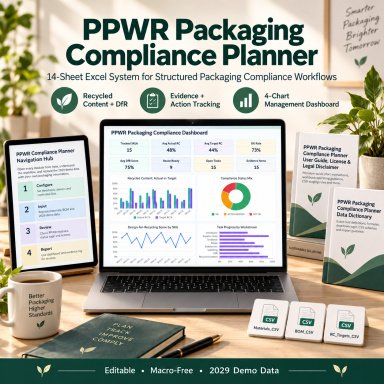
Bring packaging master data, recycled-content tracking, Design-for-Recycling reviews, void-space calculations, reuse planning, labelling documentation, substance reviews, evidence, and implementation actions into one structured Excel system.


Designed for sustainability teams, packaging managers, manufacturers, producers, compliance professionals, quality teams, procurement functions, private-label businesses, and consultants, this professional toolkit helps replace disconnected packaging spreadsheets, evidence files, target lists, and action trackers with a more consistent internal workflow.


The package combines:
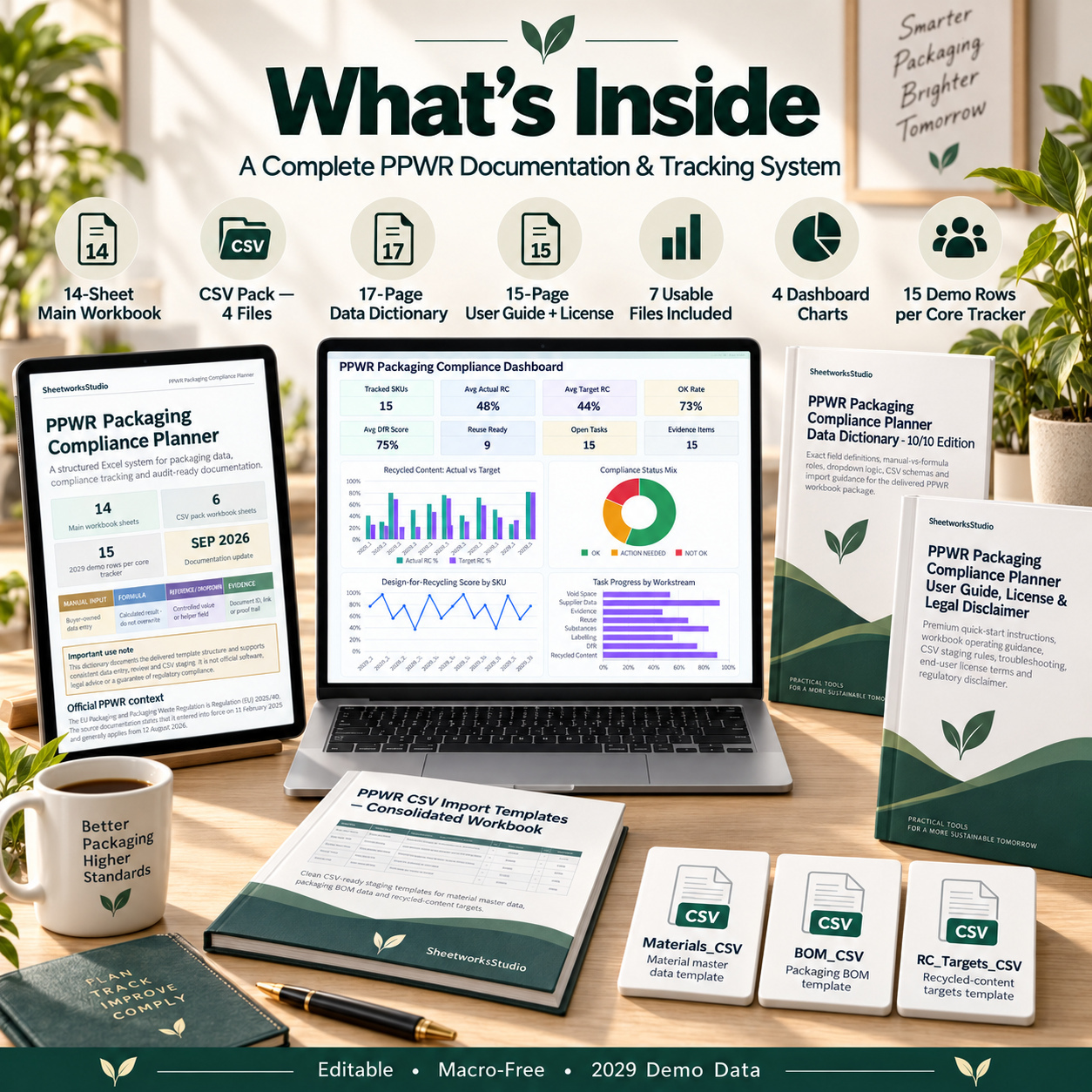
πŸ“Š 1 PPWR Packaging Compliance Planner Excel Workbook with 14 sheets
πŸ“ 1 CSV Pack containing 4 structured staging files
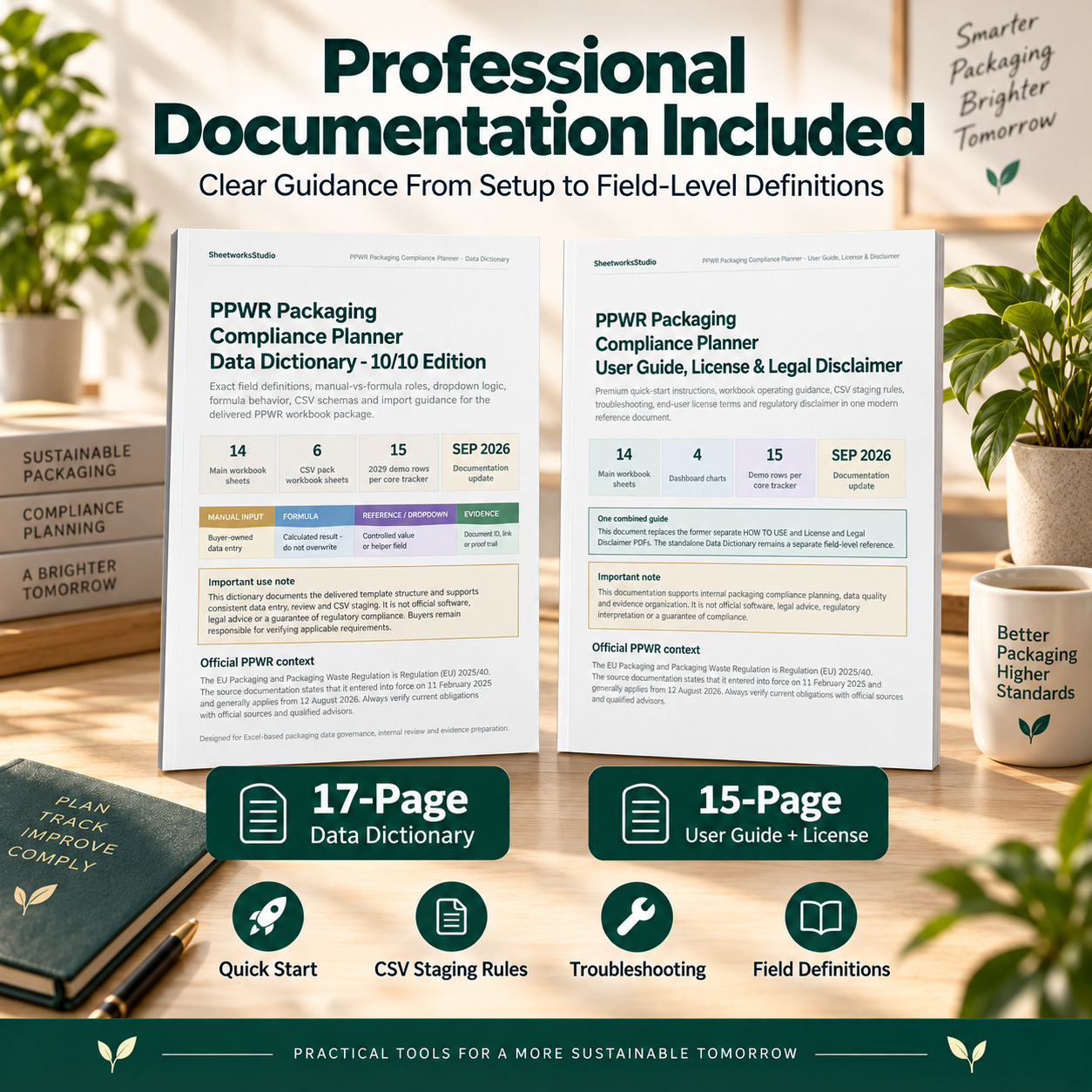
πŸ“˜ 1 detailed 17-page Data Dictionary
πŸ“™ 1 comprehensive 15-page User Guide, License & Disclaimer


After unpacking the complete delivery, the package contains 7 usable customer files.
The main workbook includes realistic 2029 demonstration data with 15 complete sample records across the core operational trackers, making it easier to understand formulas, statuses, dropdowns, evidence relationships, and dashboard behavior before replacing the examples with organization-specific information.


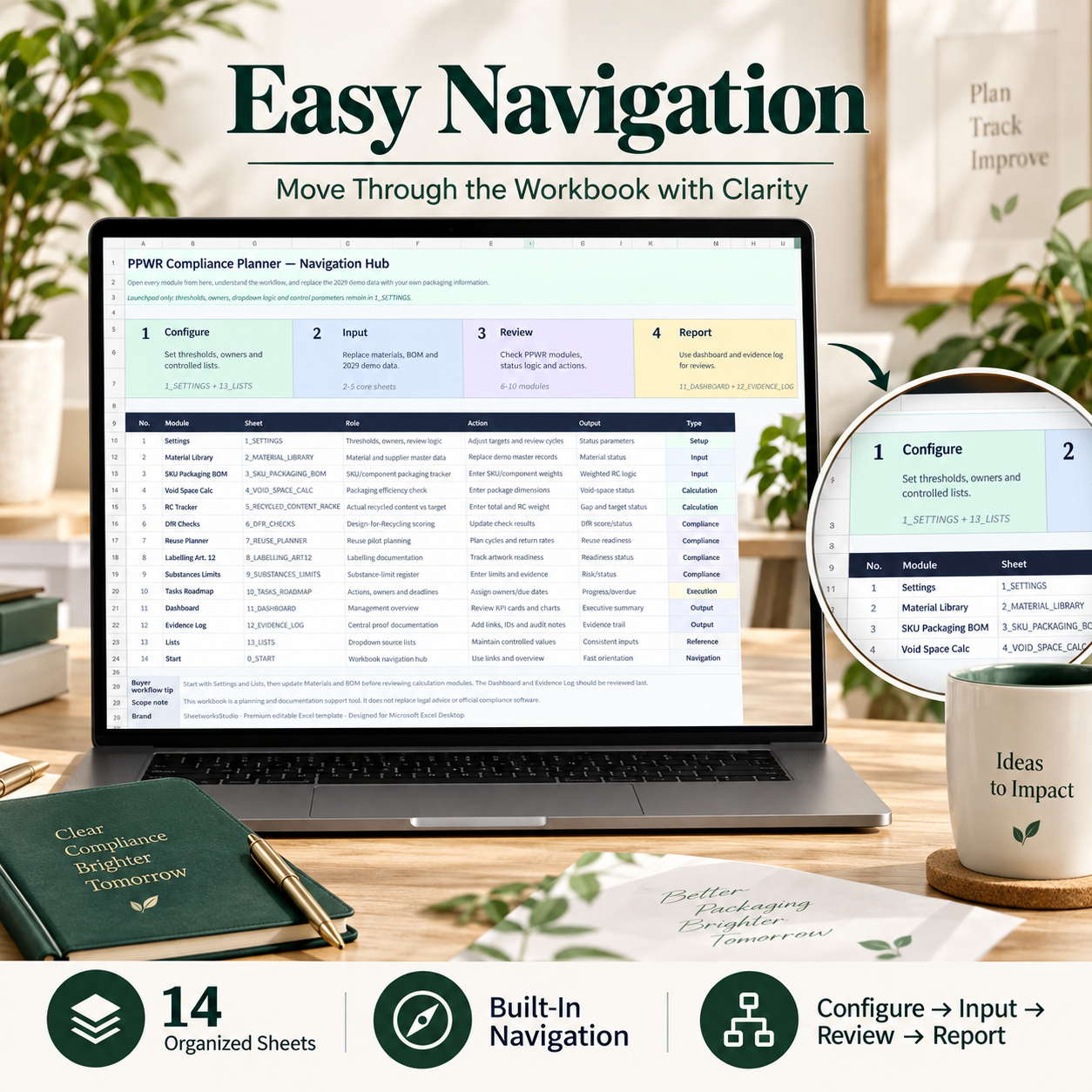
🧭 STRUCTURED WORKFLOW & NAVIGATION
The 0_START sheet acts as the central navigation and workflow hub.
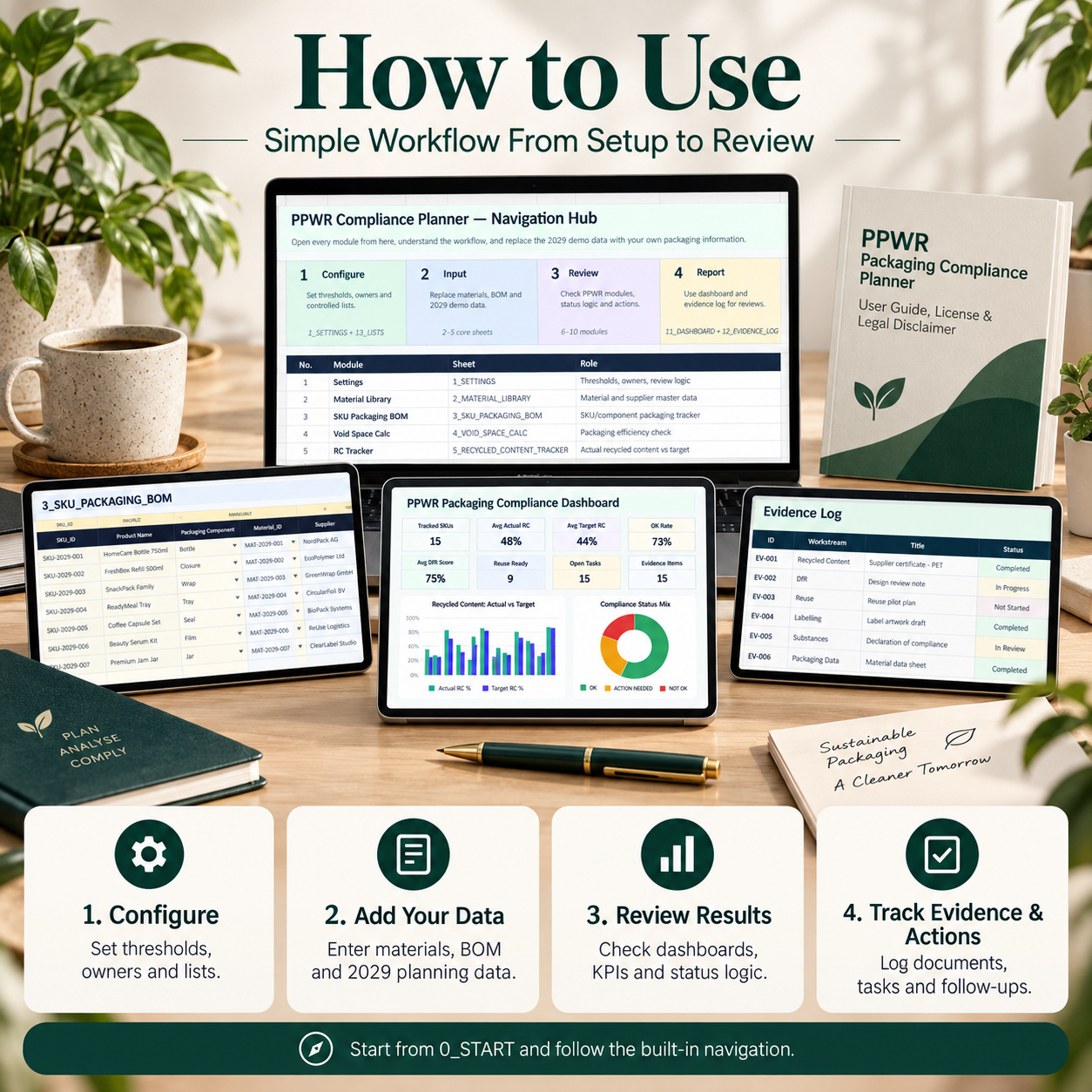
The recommended operating sequence is:
Configure β†’ Input β†’ Review β†’ Report


Users begin by reviewing settings and controlled lists, then update material and BOM data before moving through the analytical and documentation modules.


The intended workflow is:
1️⃣ Configure thresholds, owners, and review assumptions
2️⃣ Replace material, BOM, and demo data
3️⃣ Review calculated and documented PPWR-related modules
4️⃣ Analyze the management dashboard
5️⃣ Maintain a traceable evidence record
This creates a clear separation between manual inputs, calculated outputs, reference fields, and evidence documentation.


βš™οΈ SETTINGS & GOVERNANCE CONTROLS
The Settings module provides the central control layer for internal assumptions and review logic.
Manage editable parameters relating to areas such as:
βœ… Recycled Content
βœ… Void Space
βœ… Design-for-Recycling
βœ… Labelling
βœ… Substance Review
βœ… Reuse
βœ… Evidence
βœ… Supplier Data
βœ… Tasks
βœ… Dashboard Review Cycles


Track:
βœ… Parameter
βœ… Value
βœ… Unit
βœ… Responsible Owner
βœ… Review Cycle
βœ… Last Updated
βœ… Status
βœ… Notes


The delivered values are template assumptions and demonstration settings and should be reviewed against the organization’s own requirements before use.


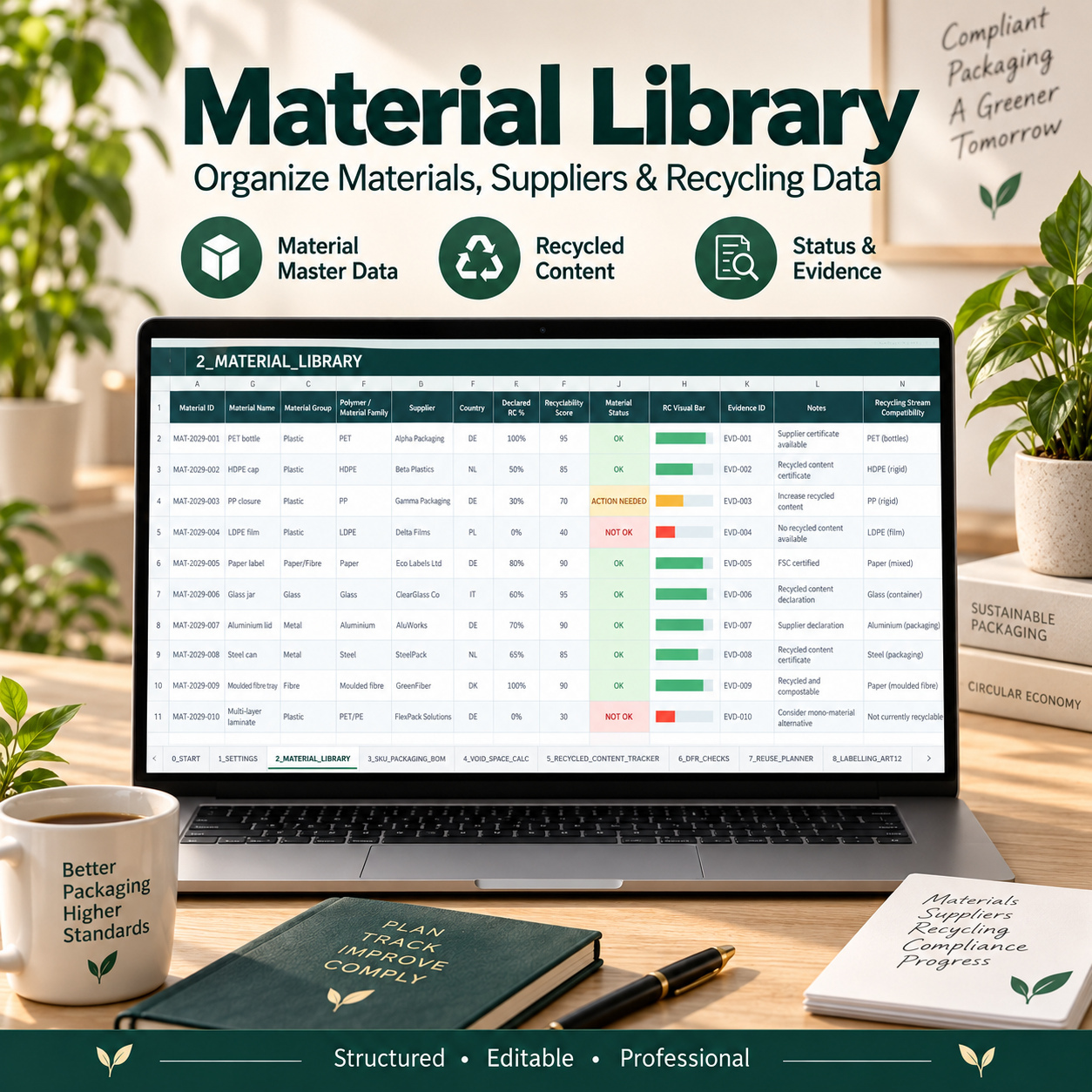
🧾 MATERIAL LIBRARY
Maintain structured material and supplier master data.
Track:
βœ… Material ID
βœ… Material Name
βœ… Material Group
βœ… Polymer / Material Family
βœ… Supplier
βœ… Country
βœ… Declared Recycled Content %
βœ… Recyclability Score
βœ… Material Status
βœ… Evidence ID
βœ… Recycling Stream Compatibility
βœ… Notes


Formula-driven status logic provides an additional review signal while keeping supplier declarations and supporting evidence traceable through Evidence IDs.
The Material Library can act as the reference layer for downstream packaging and BOM analysis.


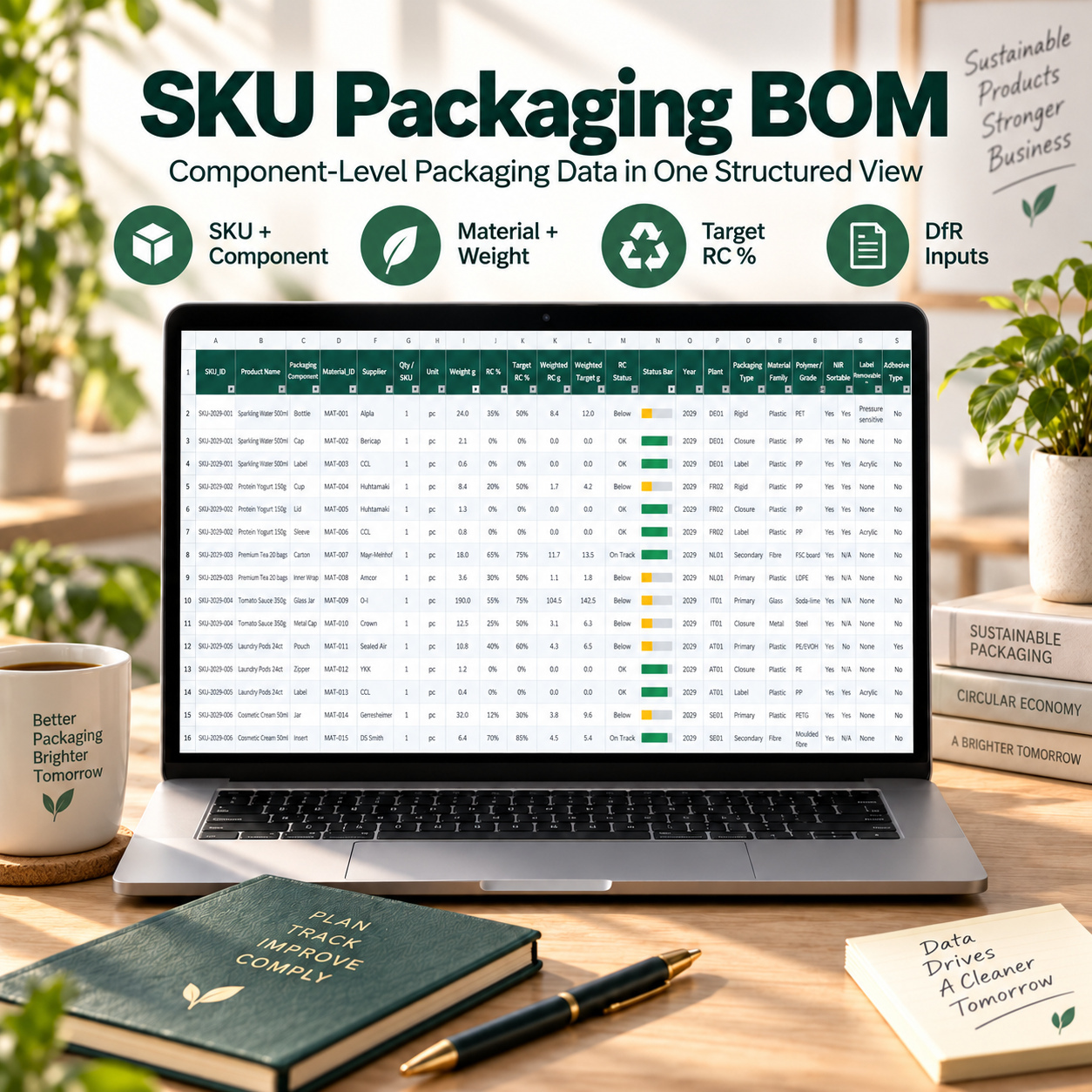
πŸ“¦ SKU PACKAGING BOM
Build a component-level packaging dataset by SKU.
Track:
βœ… SKU ID
βœ… Product Name
βœ… Packaging Component
βœ… Material ID
βœ… Supplier
βœ… Quantity per SKU
βœ… Unit
βœ… Component Weight
βœ… Recycled Content %
βœ… Target Recycled Content %
βœ… Plant
βœ… Packaging Type
βœ… Material Family
βœ… Polymer / Grade
βœ… NIR Sortability
βœ… Label Removability
βœ… Adhesive Type
βœ… Carbon Black indicator


Automatic calculations include:
♻️ Weighted Recycled Content
🎯 Weighted Target Content
🚦 Recycled Content Status
πŸ“Š Visual Status Bar


This creates a structured connection between material master data and SKU-level packaging composition.


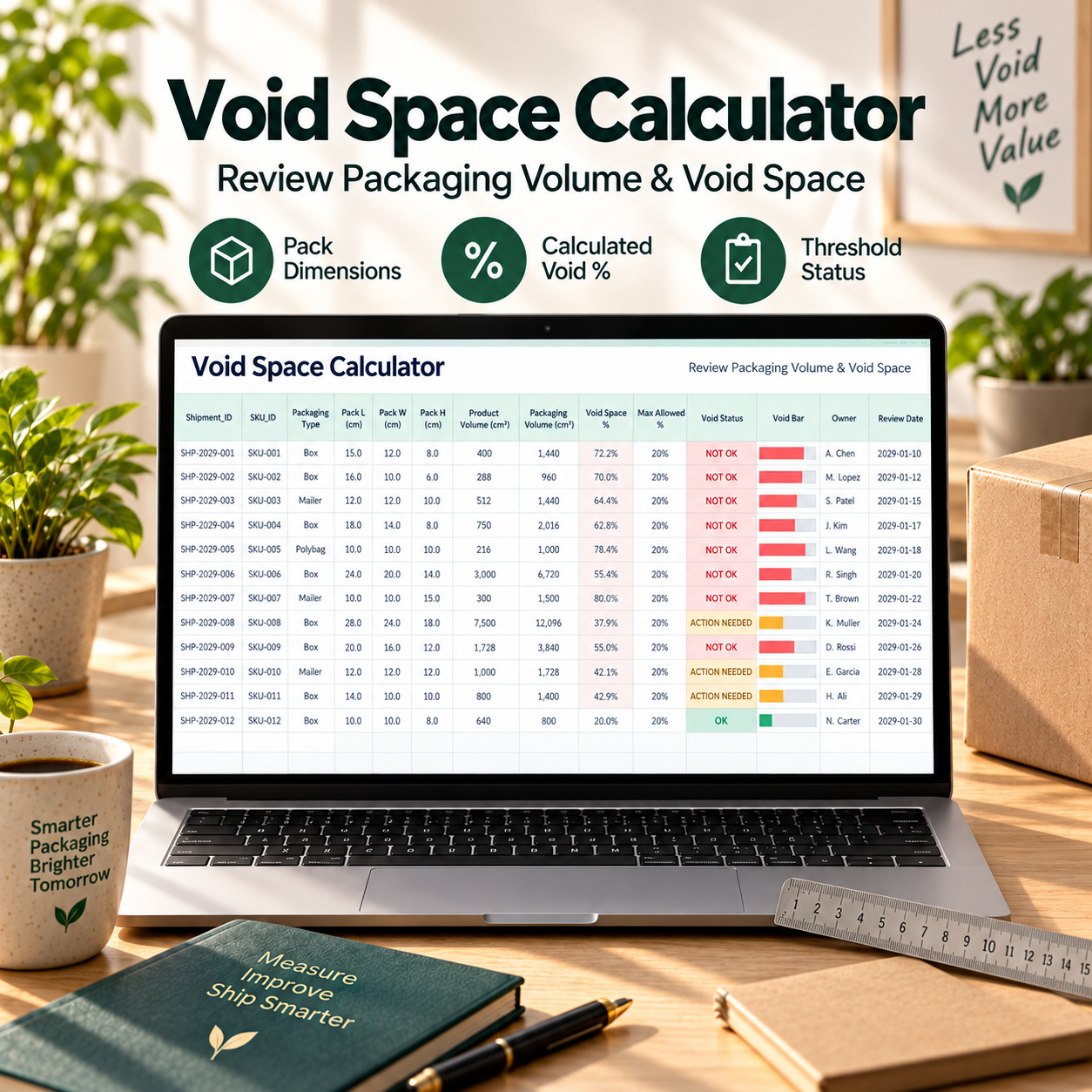
πŸ“ VOID-SPACE CALCULATION
Review packaging efficiency using user-entered package and product-volume information.
Track:
βœ… Shipment ID
βœ… SKU
βœ… Packaging Type
βœ… Pack Length
βœ… Pack Width
βœ… Pack Height
βœ… Product Volume
βœ… Owner
βœ… Review Date


Automatic calculations provide:
πŸ“¦ Packaging Volume
πŸ“ Void Space %
🎯 Internal Max Allowed %
🚦 Void Status
πŸ“Š Visual Status Bar
The threshold is configurable within the workbook and should be adapted to the organization’s own applicable requirements and review criteria.


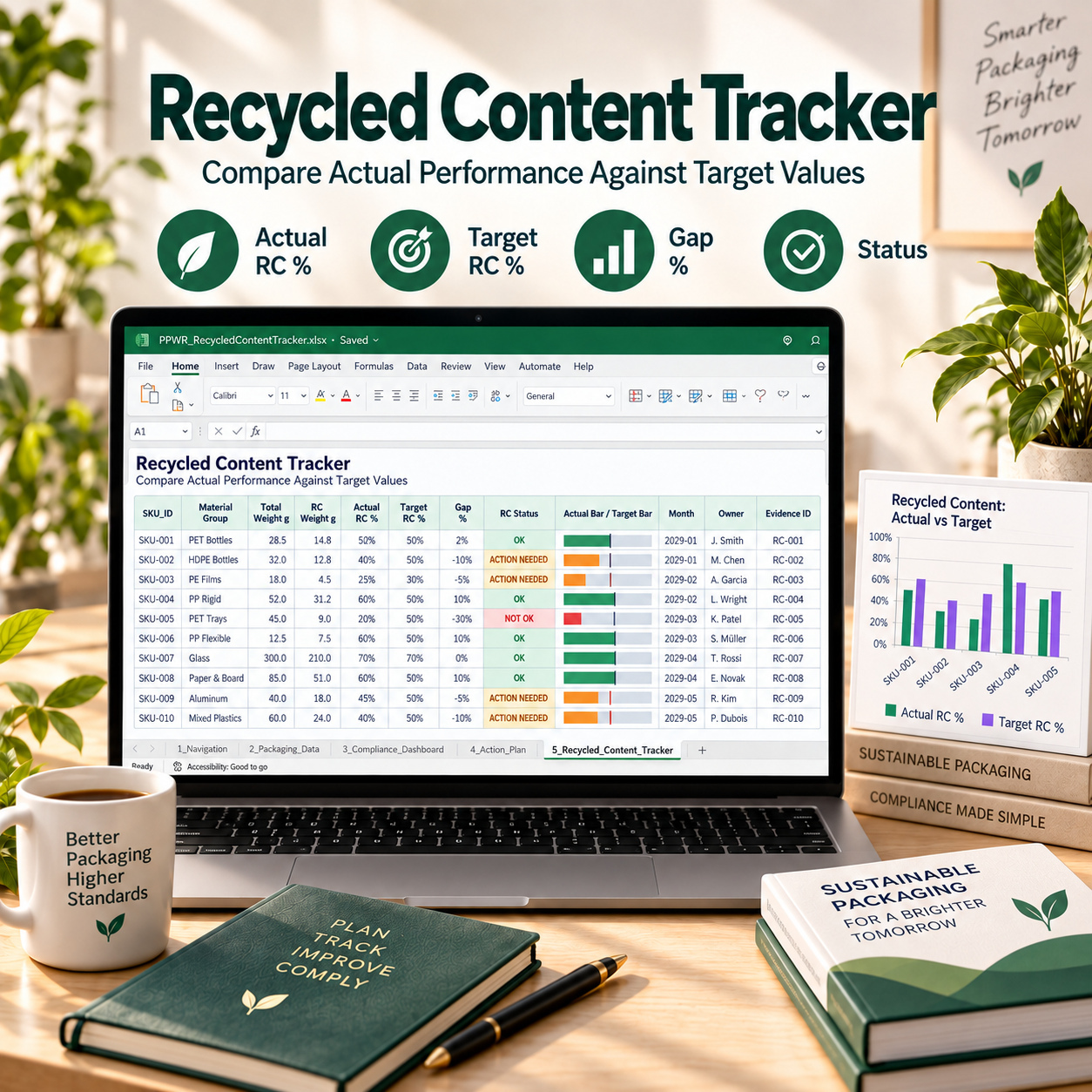
♻️ RECYCLED CONTENT TRACKER
Compare actual recycled content with internal or organization-specific target values.
Track:
βœ… SKU
βœ… Material Group
βœ… Total Packaging Weight
βœ… Recycled Content Weight
βœ… Target RC %
βœ… Reporting Month
βœ… Owner
βœ… Evidence ID


Automatic outputs include:
πŸ“ˆ Actual RC %
🎯 Target RC %
πŸ“Š Gap %
🚦 RC Status
πŸ“‰ Actual and Target Visual Bars
The module gives management a structured view of where actual values meet, exceed, or fall below the configured targets.


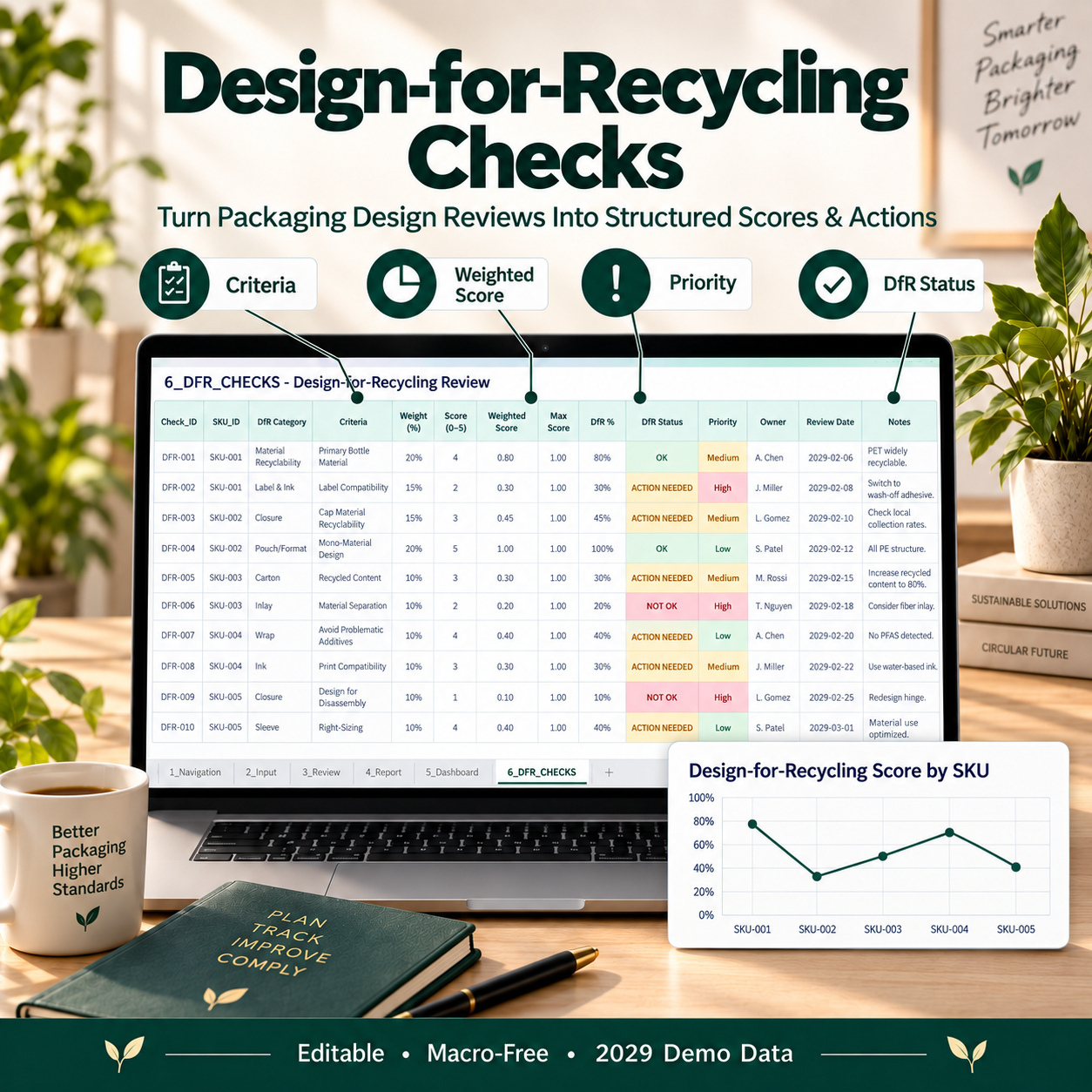
🧠 DESIGN-FOR-RECYCLING CHECKS
Create a repeatable internal Design-for-Recycling review process.
Evaluate criteria relating to areas such as:
βœ… Material Compatibility
βœ… Mono-Material Design
βœ… Separability
βœ… Colour / Detectability
βœ… Additives
βœ… Labels & Adhesives
βœ… Other organization-specific criteria


Track:
βœ… Check ID
βœ… SKU
βœ… DfR Category
βœ… Criterion
βœ… Weight
βœ… Score
βœ… Priority
βœ… Owner
βœ… Review Date
βœ… Notes


Automatic calculations provide:
πŸ“Š Weighted Score
🎯 Maximum Score
πŸ“ˆ DfR %
🚦 DfR Status


This creates a more transparent basis for comparing packaging-design readiness across SKUs.


πŸ” REUSE PLANNER
Document and review reuse or return concepts within a structured operational tracker.
Track:
βœ… Packaging ID
βœ… SKU
βœ… Reuse Model
βœ… Planned Cycles
βœ… Actual Cycles
βœ… Return Rate
βœ… Cleaning Status
βœ… Owner
βœ… Milestone
βœ… Due Date
βœ… Notes
Automatic outputs include:
♻️ Reuse Rate
🚦 Reuse Status
πŸ“Š Progress Bar
Illustrative reuse models include pool systems, deposit return, closed-loop B2B, refill stations, customer return, and transport loops.
These are example workflows only and can be replaced with the user’s own packaging model.


🏷️ LABELLING DOCUMENTATION
The workbook contains a dedicated labelling documentation module for structured internal review.
Track:
βœ… Label ID
βœ… SKU
βœ… Packaging Component
βœ… Material Label
βœ… Sorting Instruction
βœ… Language Coverage
βœ… QR Code Status
βœ… Artwork Status
βœ… Evidence ID
βœ… Deadline
βœ… Owner
βœ… Notes


Automatic logic provides:
🚦 Readiness Status
πŸ“Š Visual Readiness Bar
This helps teams coordinate packaging artwork, documentation, evidence, ownership, and deadlines without treating the workbook as a source of official legal interpretation.


βš—οΈ SUBSTANCE LIMIT & EVIDENCE TRACKING
Maintain substance-related review records using the organization’s own applicable limits, declarations, or test information.
Track:
βœ… Test ID
βœ… Material ID
βœ… Substance
βœ… CAS Number
βœ… Limit Value
βœ… Measured / Declared Value
βœ… Test Date
βœ… Supplier
βœ… Certificate ID
βœ… Evidence ID
βœ… Owner
βœ… Review Date
βœ… Notes


Automatic outputs include:
πŸ“Š Usage Ratio
🚦 Limit Status
⚠️ Risk Level
πŸ“… Review Status


The included values and substance examples are illustrative demonstration data and should not be treated as authoritative regulatory thresholds.


πŸ—ΊοΈ TASKS & IMPLEMENTATION ROADMAP
Convert review findings and implementation requirements into accountable actions.
Track:
βœ… Task ID
βœ… Workstream
βœ… Task
βœ… Owner
βœ… Priority
βœ… Start Date
βœ… Due Date
βœ… Progress %
βœ… Dependency
βœ… Evidence ID
βœ… Notes


Automatic calculations include:
🚦 Task Status
⏳ Days Left
πŸ“Š Progress Bar
Typical workstreams include:
♻️ Recycled Content
🧠 DfR
🏷️ Labelling
βš—οΈ Substances
πŸ” Reuse
🧾 Evidence
🏭 Supplier Data
πŸ“ Void Space
This provides a direct link between identified gaps and owned implementation activity.


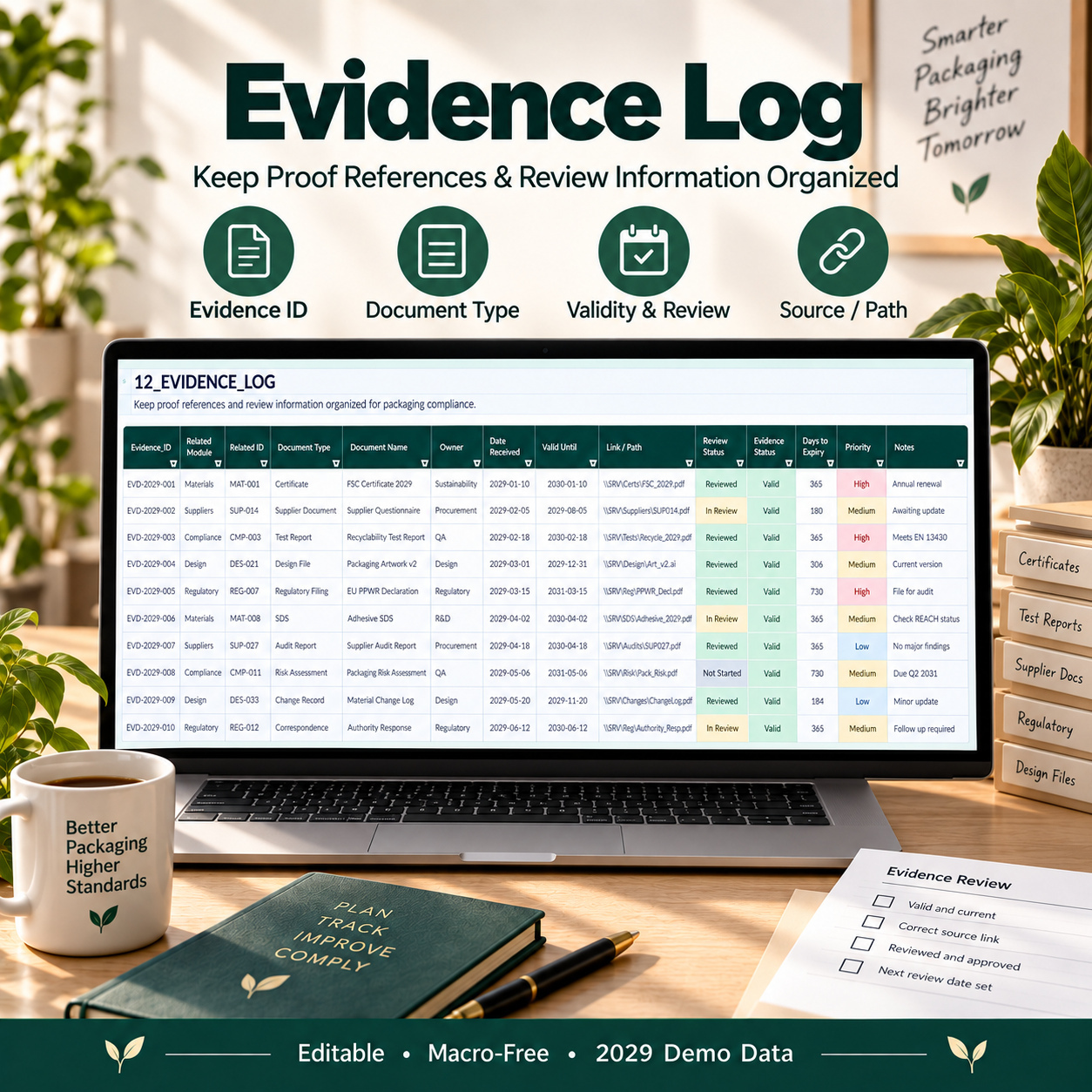
🧾 CENTRAL EVIDENCE LOG
Maintain a traceable register of supporting documents and proof references.
Track:
βœ… Evidence ID
βœ… Related Module
βœ… Related Record ID
βœ… Document Type
βœ… Document Name
βœ… Owner
βœ… Date Received
βœ… Valid Until
βœ… Link / Path
βœ… Review Status
βœ… Priority
βœ… Notes


Automatic outputs include:
🚦 Evidence Status
⏳ Days to Expiry


The Evidence Log is designed as a document-reference register, not as a repository for the source documents themselves.
Examples may include supplier declarations, test reports, design reviews, artwork proofs, certificates, and audit notes.
This provides stronger traceability between workbook claims, assessments, and external supporting evidence.
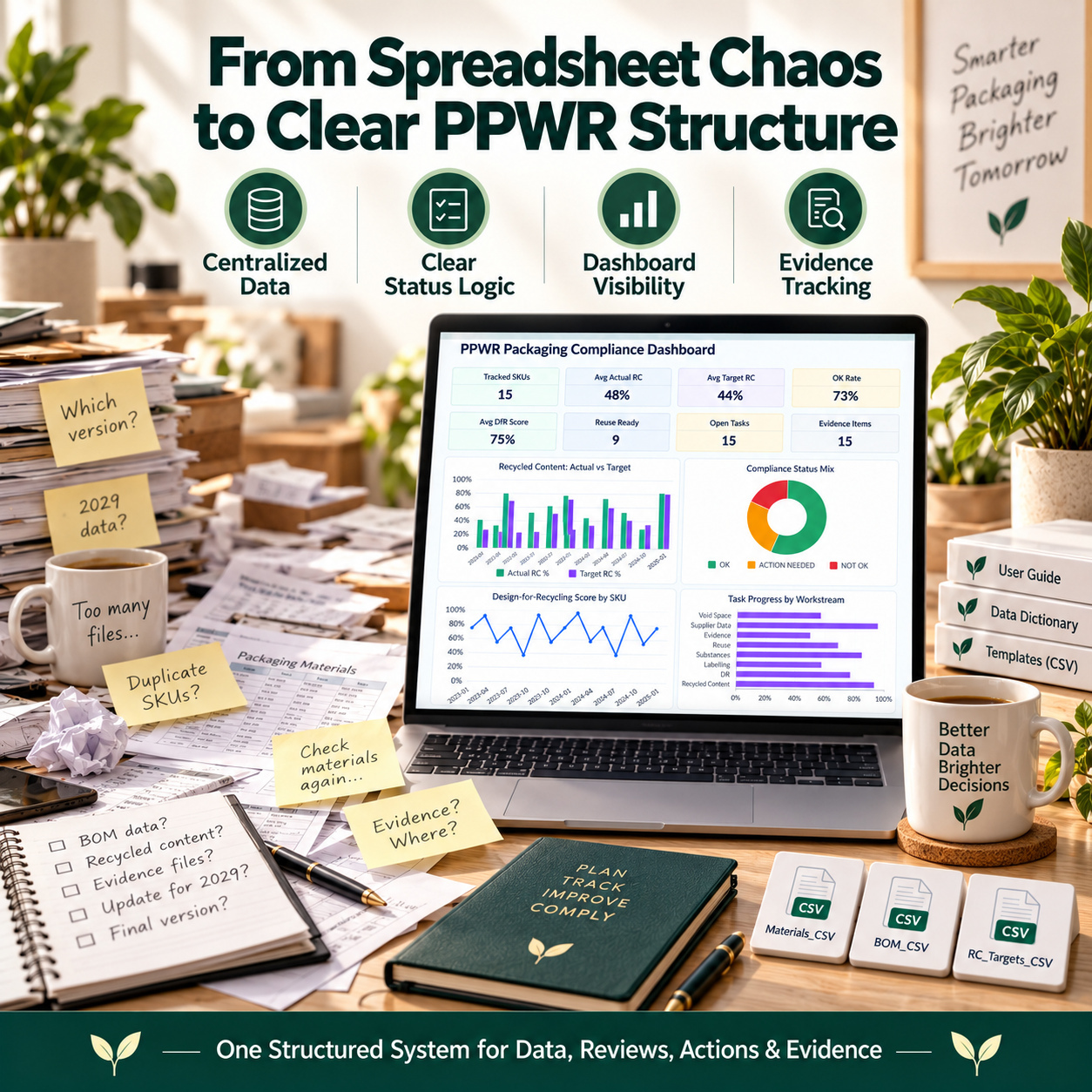
πŸ“Š EXECUTIVE SUSTAINABILITY & PACKAGING DASHBOARD


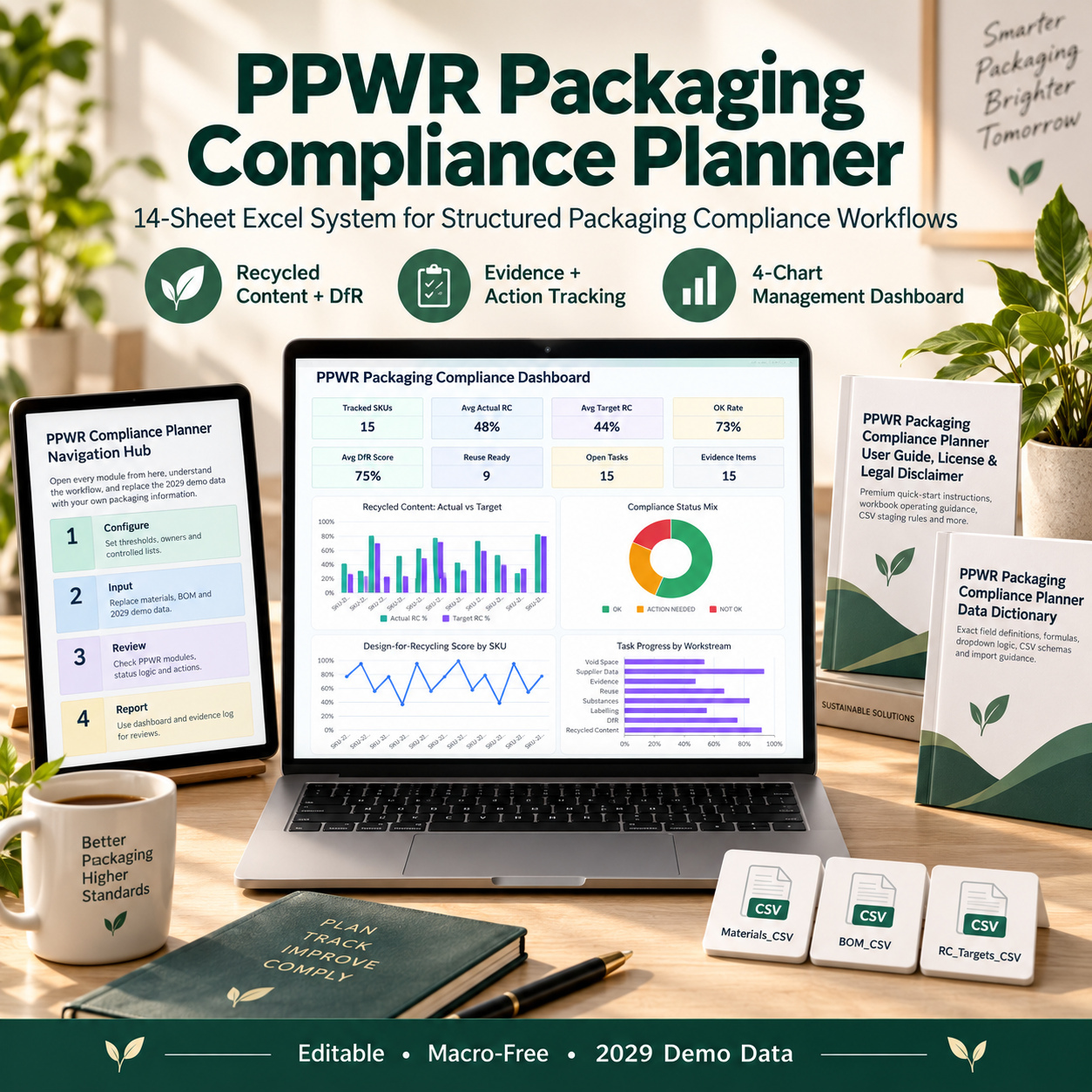
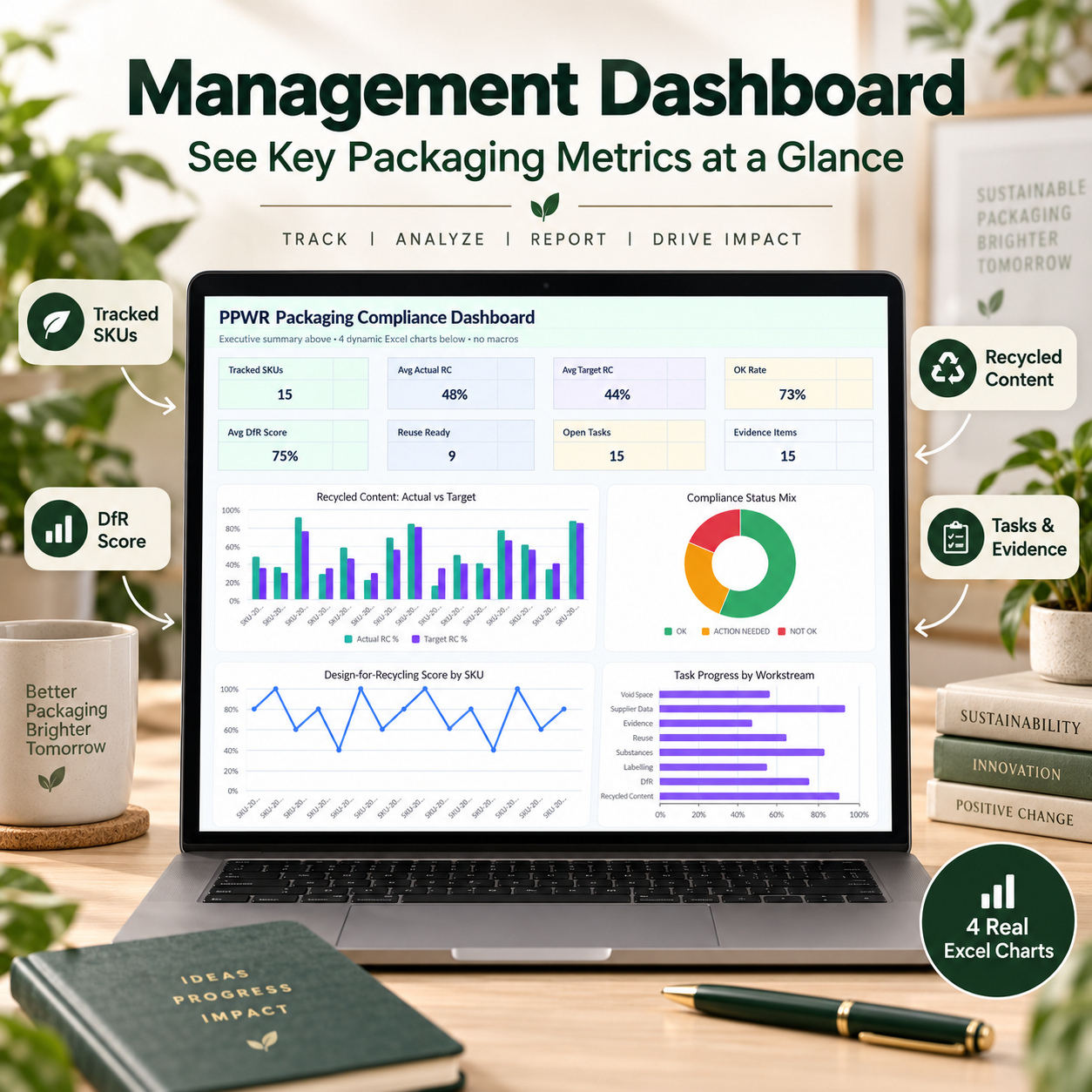
The management dashboard consolidates the key workbook outputs into 8 KPI cards:
πŸ“¦ Tracked SKUs
♻️ Average Actual Recycled Content
🎯 Average Target Recycled Content
🚦 OK Rate from the recycled-content tracker
🧠 Average DfR Score
πŸ” Reuse Ready
πŸ—ΊοΈ Open Tasks
🧾 Evidence Items


Four real Excel charts provide management-level visualization:
♻️ Recycled Content: Actual vs Target
🚦 Compliance Status Mix
🧠 Design-for-Recycling Score by SKU
πŸ“ˆ Task Progress by Workstream


The dashboard is formula-driven and updates from the underlying tracker data after recalculation.
It is designed for internal reviews, sustainability discussions, implementation meetings, and management reporting rather than direct data entry.


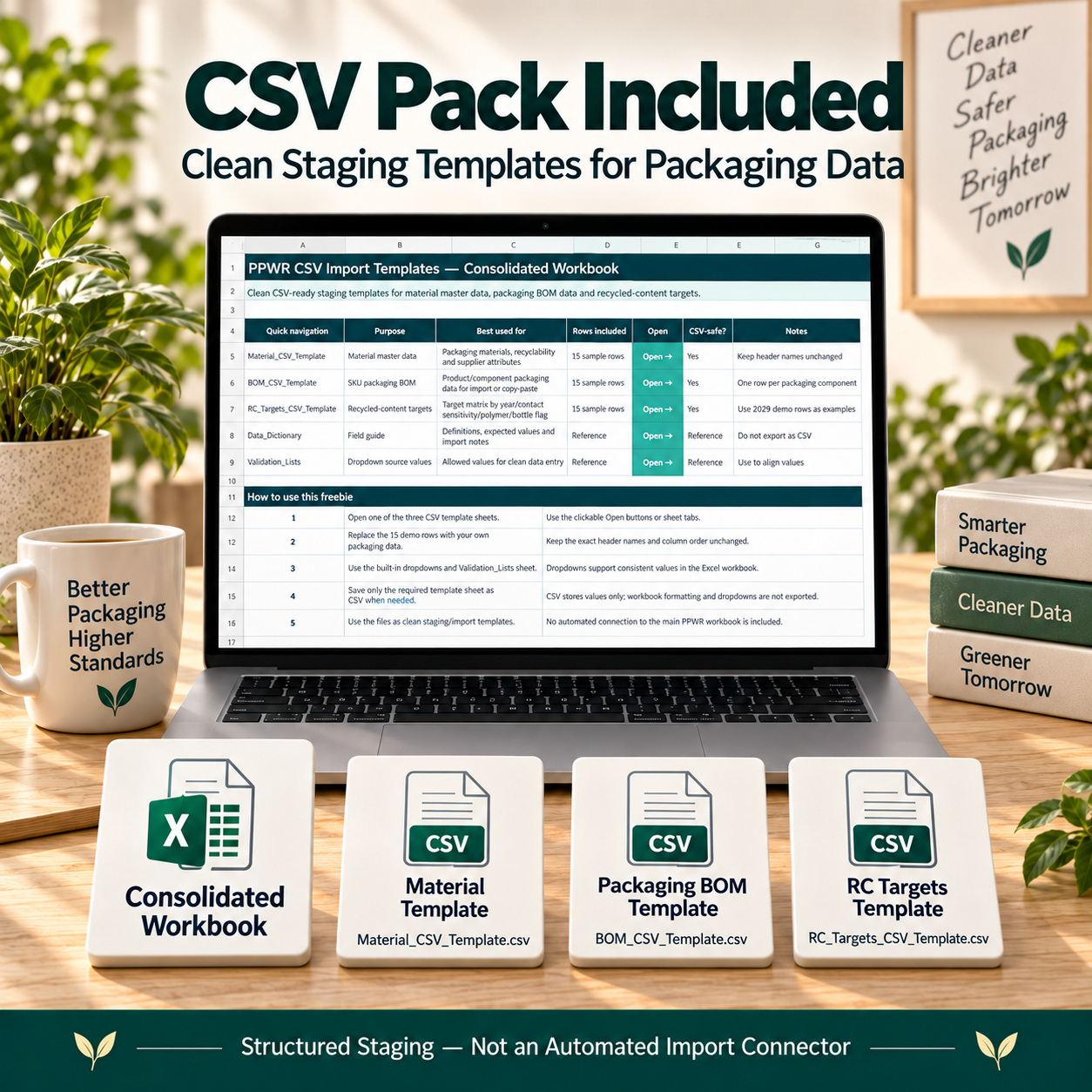
πŸ“ PROFESSIONAL CSV STAGING PACK
The included CSV Pack supports more structured data preparation and handover workflows.
It contains:


πŸ“— PPWR_CSV_Templates_Consolidated.xlsx
This workbook contains 6 organized sheets:
βœ… README
βœ… Material CSV Template
βœ… BOM CSV Template
βœ… RC Targets CSV Template
βœ… Data Dictionary
βœ… Validation Lists


It also includes three separate plain CSV files:
🧾 Material_CSV_Template.csv
🧾 BOM_CSV_Template.csv
🧾 RC_Targets_CSV_Template.csv
The Material staging schema supports structured material-master information such as material family, polymer or grade, additives, adhesives, carbon-black indicator, label material, closure type, recycling-stream compatibility, density, NIR sortability, and related information.


The BOM staging schema supports SKU and component-level packaging preparation, including material, weight, recycled content, contact sensitivity, reuse status, DfR factors, evidence references, supplier, plant, recyclability estimates, DfR score, compliance status, ownership, and due dates.


The RC Targets template provides a compact structure for maintaining year, contact sensitivity, polymer class, bottle status, and target percentage.


πŸ“Œ Important: The CSV Pack is intentionally a staging and data-preparation toolkit.
It does not automatically import or synchronize data with the main PPWR workbook. Headers and formats should remain consistent, and prepared data must be deliberately mapped or transferred into the user’s own workflow.


πŸ“˜ 17-PAGE DATA DICTIONARY
The dedicated Data Dictionary provides detailed technical documentation for the system.
It covers:
βœ… Main workbook architecture
βœ… Data ownership
βœ… Manual Input / Formula / Reference roles
βœ… Settings logic
βœ… Material Library fields
βœ… SKU BOM fields
βœ… Void Space logic
βœ… Recycled Content logic
βœ… DfR scoring
βœ… Reuse Planner
βœ… Labelling module
βœ… Substance review fields
βœ… Tasks & Roadmap
βœ… Evidence Log
βœ… Dashboard KPIs and charts
βœ… CSV schemas
βœ… Controlled values
βœ… Percentage conventions
βœ… Export rules


This makes the package considerably more useful for teams that need consistent data-entry rules and structured internal handover documentation.


πŸ“™ 15-PAGE USER GUIDE, LICENSE & DISCLAIMER
The separate User Guide provides practical onboarding and operating instructions.
It includes:
βœ… Package overview
βœ… Quick Start
βœ… Recommended setup
βœ… Complete 14-sheet workbook architecture
βœ… Data-entry rules
βœ… Safe sample-data replacement
βœ… Settings, Material Library & BOM workflow
βœ… Void Space, RC, DfR & Reuse review
βœ… Labelling, Substances, Tasks & Evidence
βœ… Dashboard review and export
βœ… CSV staging workflow
βœ… Troubleshooting
βœ… Quality checklist
βœ… License summary
βœ… EULA
βœ… Buyer responsibilities
βœ… Legal and regulatory disclaimer


The guide emphasizes keeping a clean backup, preserving formulas, maintaining consistent IDs, reviewing evidence, and treating workbook outputs as internal support information rather than automatic legal determinations.


πŸ’» TECHNICAL COMPATIBILITY
βœ… Microsoft Excel Desktop (.xlsx)
βœ… Macro-free
βœ… No VBA
βœ… No Power Query dependency
βœ… No APIs
βœ… No external data connections required
βœ… Editable formulas and settings
βœ… Dropdown-supported workflows
βœ… CSV staging templates included
βœ… Realistic 2029 demo data


⚠️ Google Sheets is not the recommended environment for this product.
The workbook is designed primarily for Microsoft Excel Desktop. After import into Google Sheets, formulas, dropdown behavior, chart objects, formatting, conditional logic, spacing, or layout may not reproduce exactly.


βš–οΈ IMPORTANT DISCLAIMER
This toolkit is provided as a planning, calculation, documentation, and internal readiness aid for PPWR-related packaging workflows.


It is not official regulatory software, is not affiliated with or endorsed by the European Commission or national authorities, and does not constitute legal advice, regulatory interpretation, certification, assurance, or a guarantee of compliance.
All thresholds, targets, sample values, substance data, packaging assumptions, evidence, and workbook outputs must be reviewed and adapted to the user’s own circumstances and applicable requirements.


🌿 This complete packaging-management toolkit brings material data, SKU-level packaging information, recycled-content tracking, Design-for-Recycling reviews, void-space analysis, reuse planning, labelling documentation, substance reviews, evidence, and implementation actions into one coordinated workflow.
It is designed to help sustainability, packaging, compliance, procurement, and quality teams improve traceability, establish clearer ownership, structure internal reviews, and prepare more consistent management documentation without relying on disconnected spreadsheets.

This Best Practice includes
1 Excel Main Workbook (.xlsx), PPWR_CSV_Templates_Consolidated.xlsx, PPWR Data Dictionary (.pdf), PPWR User Guide

Acquire business license for $34.90

Add to cart

Add to bookmarks

Discuss

Further information

The objective of this PPWR Packaging Compliance Planner is to provide packaging, sustainability, compliance, procurement, quality, and operations teams with a structured framework for organizing packaging-related data, internal assessments, evidence, responsibilities, and implementation actions.
Users can centralize material and supplier information, maintain SKU-level packaging BOM data, compare actual recycled content with configured targets, review packaging efficiency, document Design-for-Recycling assessments, manage reuse planning, organize labelling information, track substance-related records, and maintain a traceable evidence register.
The system also supports implementation management by connecting identified issues with workstreams, owners, priorities, dates, dependencies, and evidence references.
The overall objective is to improve data consistency, traceability, ownership, internal review discipline, and management visibility across PPWR-related packaging workflows without representing the workbook as an automatic regulatory determination.

This toolkit is particularly suitable for:
- Sustainability teams
- ESG teams
- Packaging managers
- Packaging engineers
- Manufacturers
- Producers
- Private-label brands
- E-commerce businesses
- Compliance teams
- Regulatory-affairs teams
- Quality teams
- Procurement teams
- Supplier-management functions
- Packaging consultants
- Sustainability consultants
It is especially useful where packaging data, recycled-content information, DfR reviews, evidence, supplier declarations, actions, and management reporting are currently distributed across multiple spreadsheets or documents.

This toolkit does not replace official regulatory resources, legal review, specialist compliance software, laboratory testing, packaging engineering assessments, certification services, ERP systems, product lifecycle management systems, or regulatory databases.
It does not provide automatic regulatory updates, legal interpretations, live supplier feeds, official compliance determinations, APIs, external-data synchronization, or automated filing with authorities.
The workbook is intended for internal planning, documentation, calculation, and review support. Users remain responsible for verifying applicable obligations, targets, thresholds, evidence, assumptions, and regulatory interpretations for their own products and markets.


0.0 / 5 (0 votes)

please wait...