360° Project Management Excel System | Gantt, Resources, Risk, Issues, Scrum, Kanban & KPI Dashboard

Complete Excel project management system with Gantt planning, resources, risks, issues, stakeholders, Scrum, Kanban, KPI dashboard and weekly reporting.

Description
🚀 360° PROJECT MANAGEMENT SYSTEM – COMPLETE EXCEL PM SUITE


Plan, execute, control and report projects through one structured Excel-based project management system.
The 360° Project Management Suite is designed for Project Managers, PMOs, consultants, agencies, operations teams, IT teams and product teams that need a practical framework for managing schedules, resources, risks, issues, stakeholders and agile execution without spreading critical information across disconnected files.


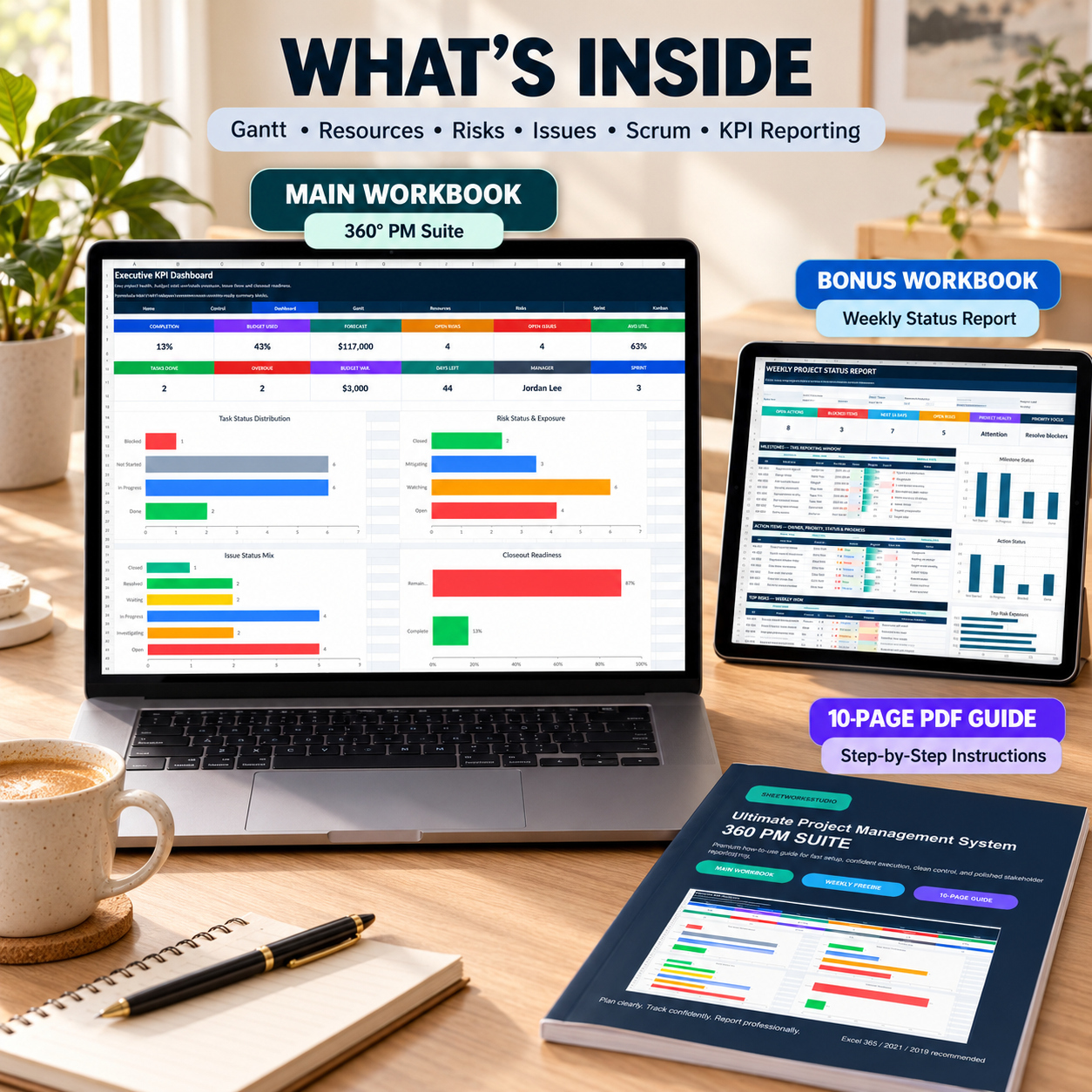
The complete package includes:
📊 360° Project Management Main Workbook
🎁 Weekly Status Report Bonus Workbook
📘 10-page Premium How-to-Use Guide


The system supports the complete workflow from initial project setup through planning, execution, control and executive reporting.


🏠 HOME / PROJECT COMMAND CENTER
The Home page acts as the central launchpad for the workbook.


It provides immediate visibility into:
📌 Project
📅 As-of Date
📈 Completion
💰 Budget
⚠️ Open Risks
⏱️ Days Left


Clickable navigation gives fast access to every major project-management area.


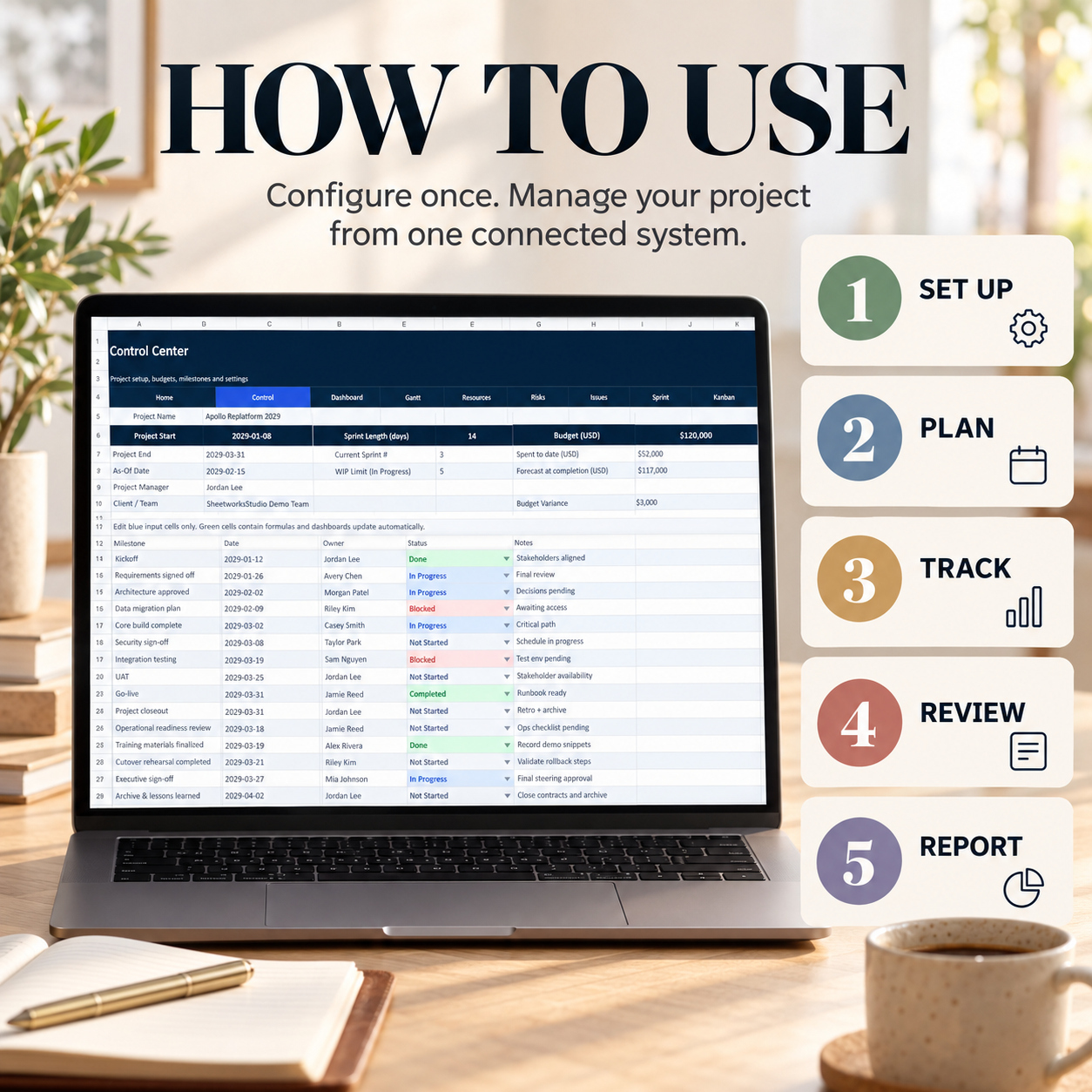
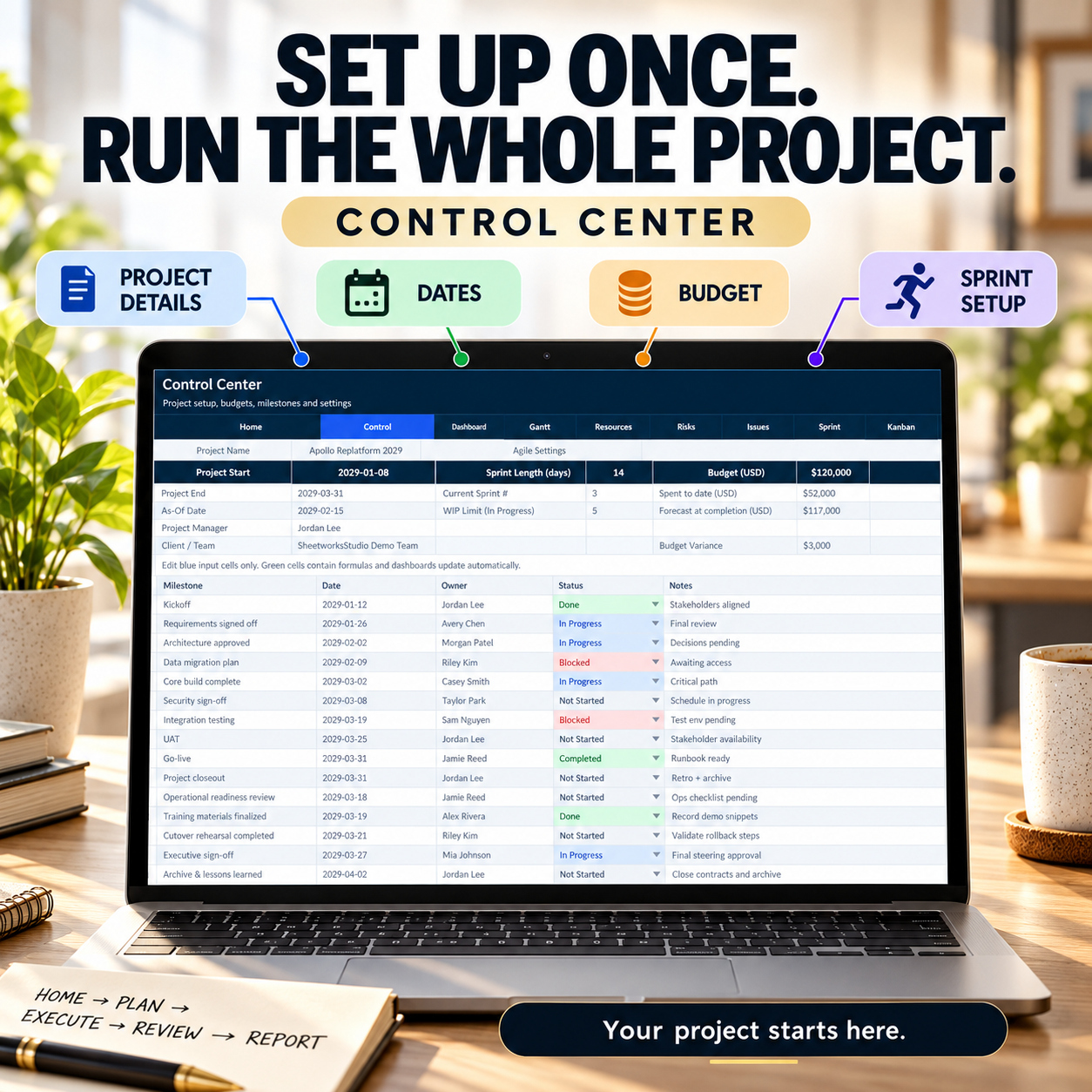
⚙️ CONTROL CENTER
Configure the core project information that drives the workbook:
  • Project Name
  • Project Start / End
  • As-of Date
  • Project Manager
  • Client / Team
  • Sprint Length
  • Current Sprint
  • Kanban WIP Limit
  • Project Budget
  • Spend to Date
  • Forecast at Completion


The Control Center also includes key project milestones and budget-variance information.


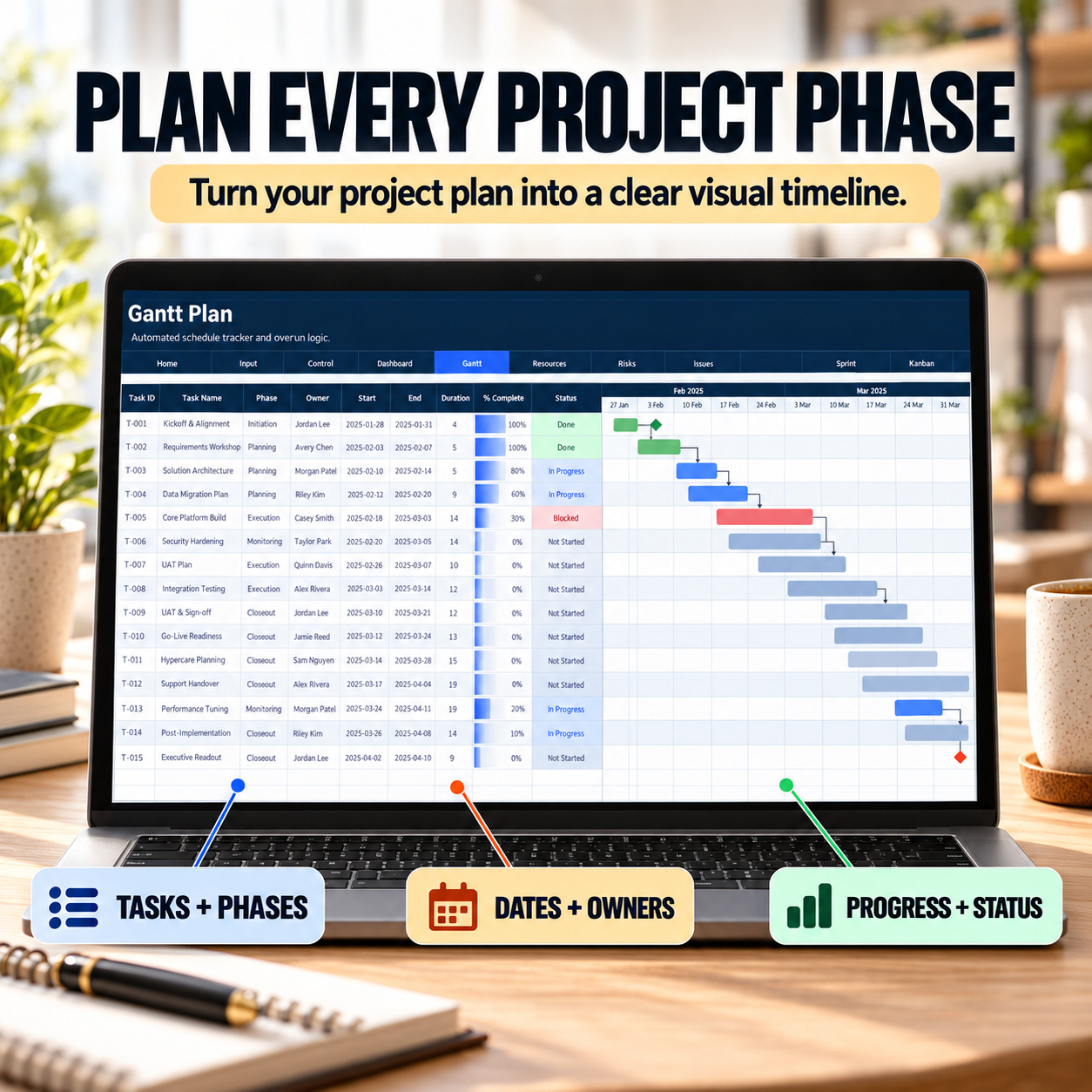
📅 GANTT PLAN
Build and maintain a structured project schedule.
Track:
  • Task ID
  • Task Name
  • Phase
  • Owner
  • Start / End Date
  • Duration
  • Completion %
  • Status
  • Dependencies
  • Baseline End Date


Automatic fields provide schedule flags and timeline-supporting calculations.
The included example project contains 15 complete sample tasks.


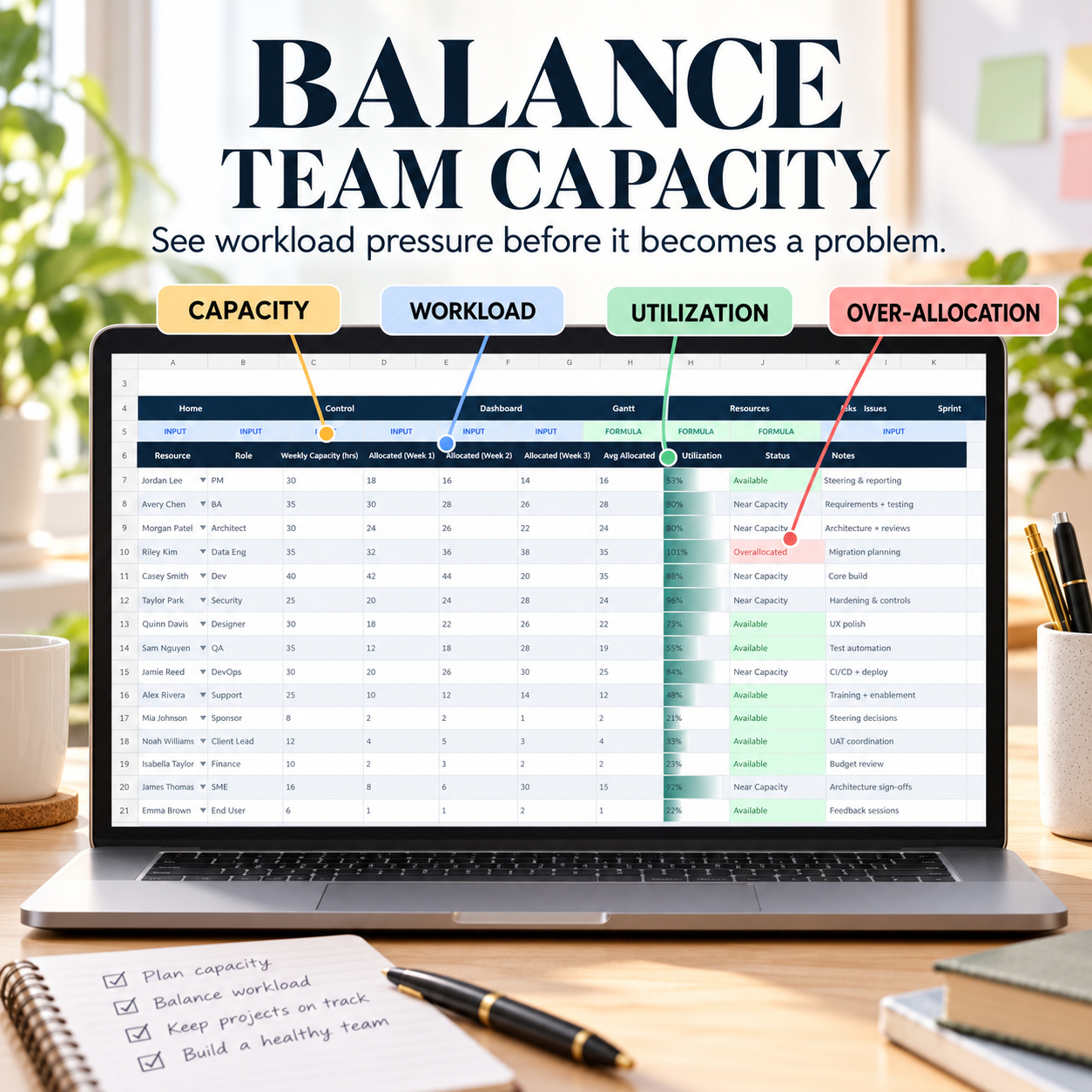
👥 RESOURCE PLANNER
Review team capacity, allocation and utilization.
Track:
  • Resource
  • Role
  • Weekly Capacity
  • Allocated Hours
  • Notes


Automatic outputs include:
📊 Average Allocation
📈 Utilization
🚦 Capacity Status


The sample structure includes 15 resources and helps highlight available, near-capacity and overallocated resources.


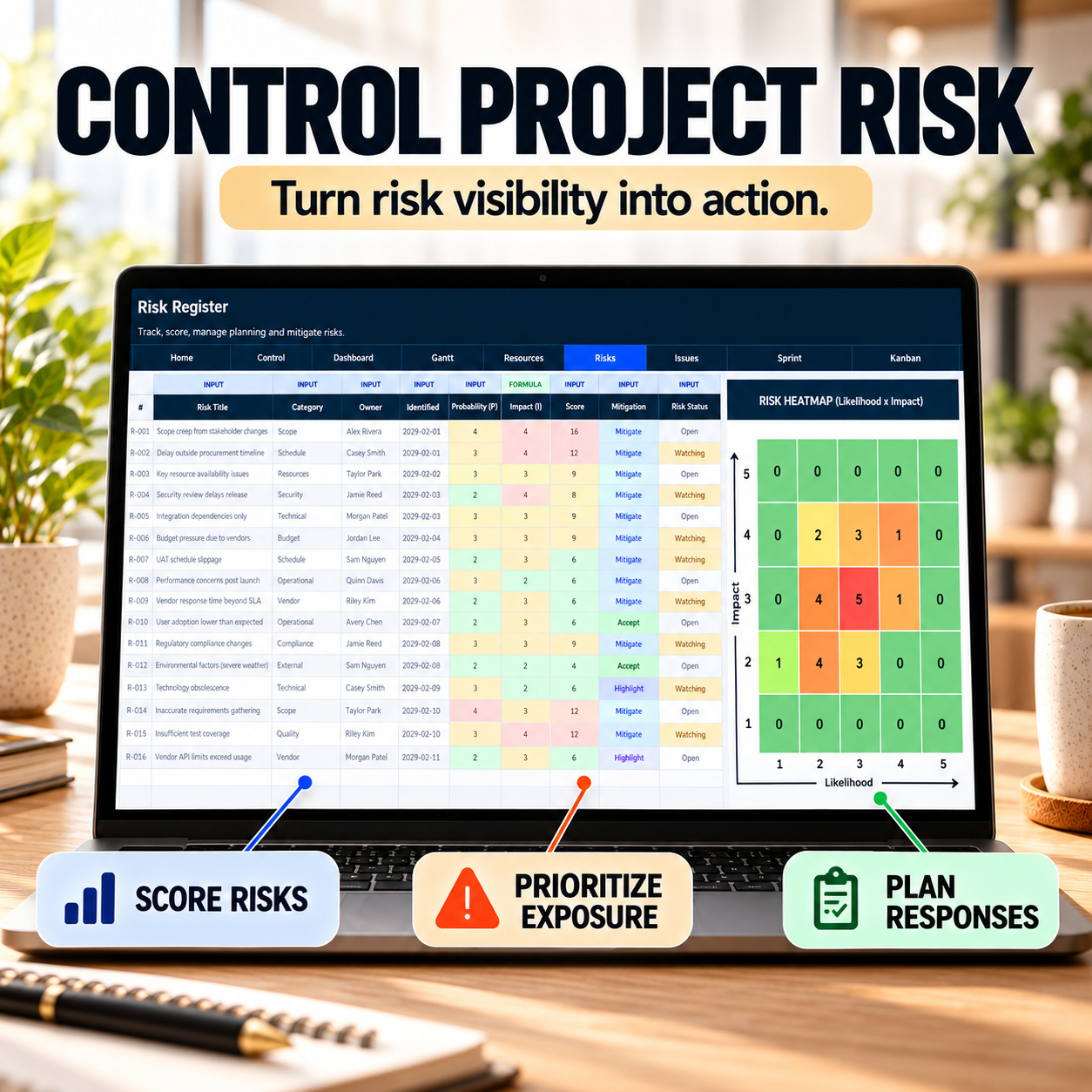
⚠️ RISK REGISTER
Maintain a structured project risk log using:
  • Risk ID
  • Risk Title
  • Category
  • Owner
  • Identified Date
  • Probability
  • Impact
  • Response
  • Mitigation Due Date
  • Status
  • Notes


The workbook automatically calculates a Risk Score and supports risk exposure review.
The sample register contains 15 project risks.


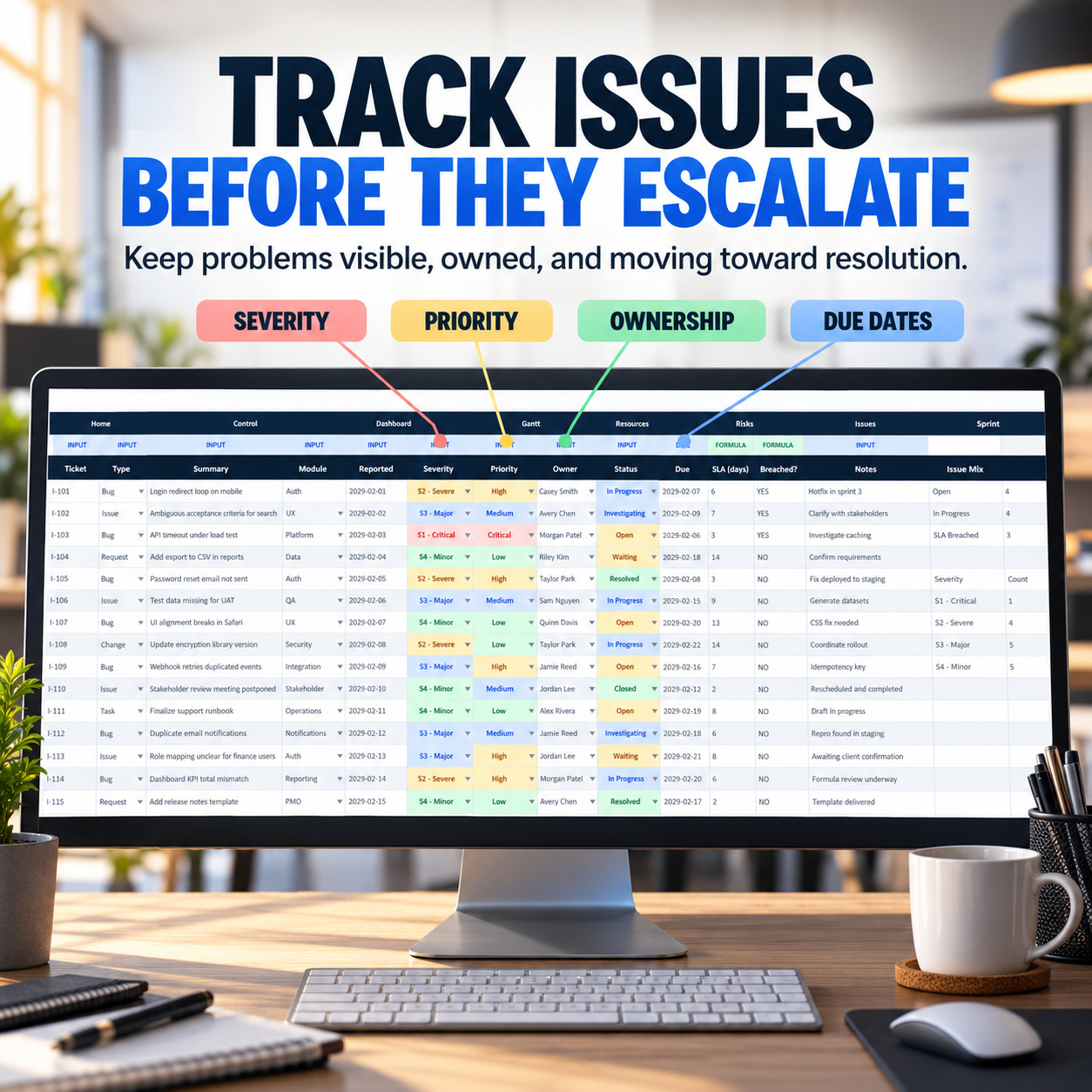
🐞 ISSUE & BUG TRACKER
Manage project issues, bugs, defects, requests and changes.
Track:
  • Issue ID
  • Type
  • Description
  • Area
  • Severity
  • Priority
  • Owner
  • Status
  • Due Date
  • Resolution / Next Action


The included sample data contains 15 complete issue and bug records.


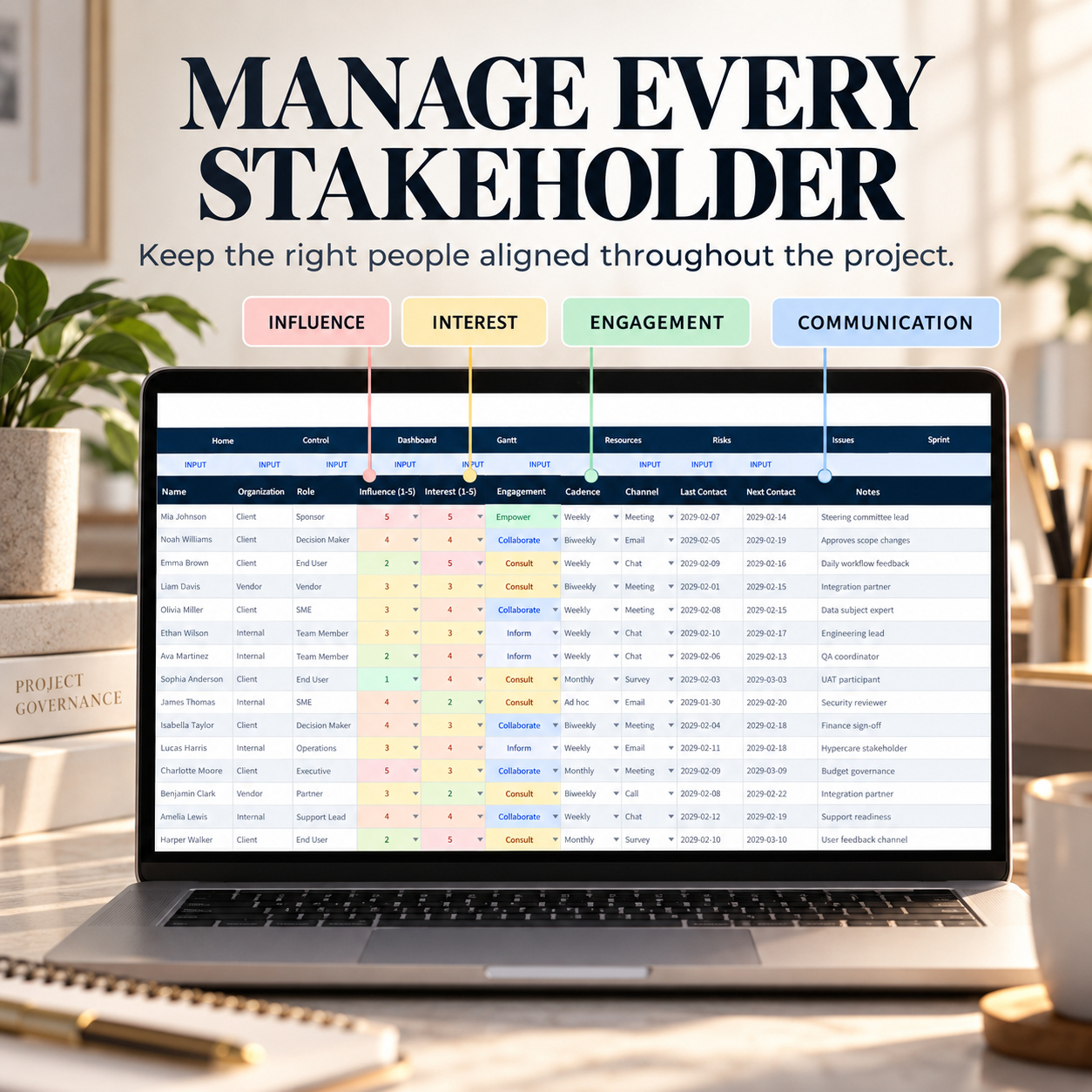
🤝 STAKEHOLDER MANAGEMENT
Maintain stakeholder information and communication planning.
Track:
  • Name
  • Organization
  • Role
  • Influence
  • Interest
  • Engagement Strategy
  • Communication Cadence
  • Channel
  • Last Contact
  • Next Contact
  • Notes


The workbook includes 15 sample stakeholders.


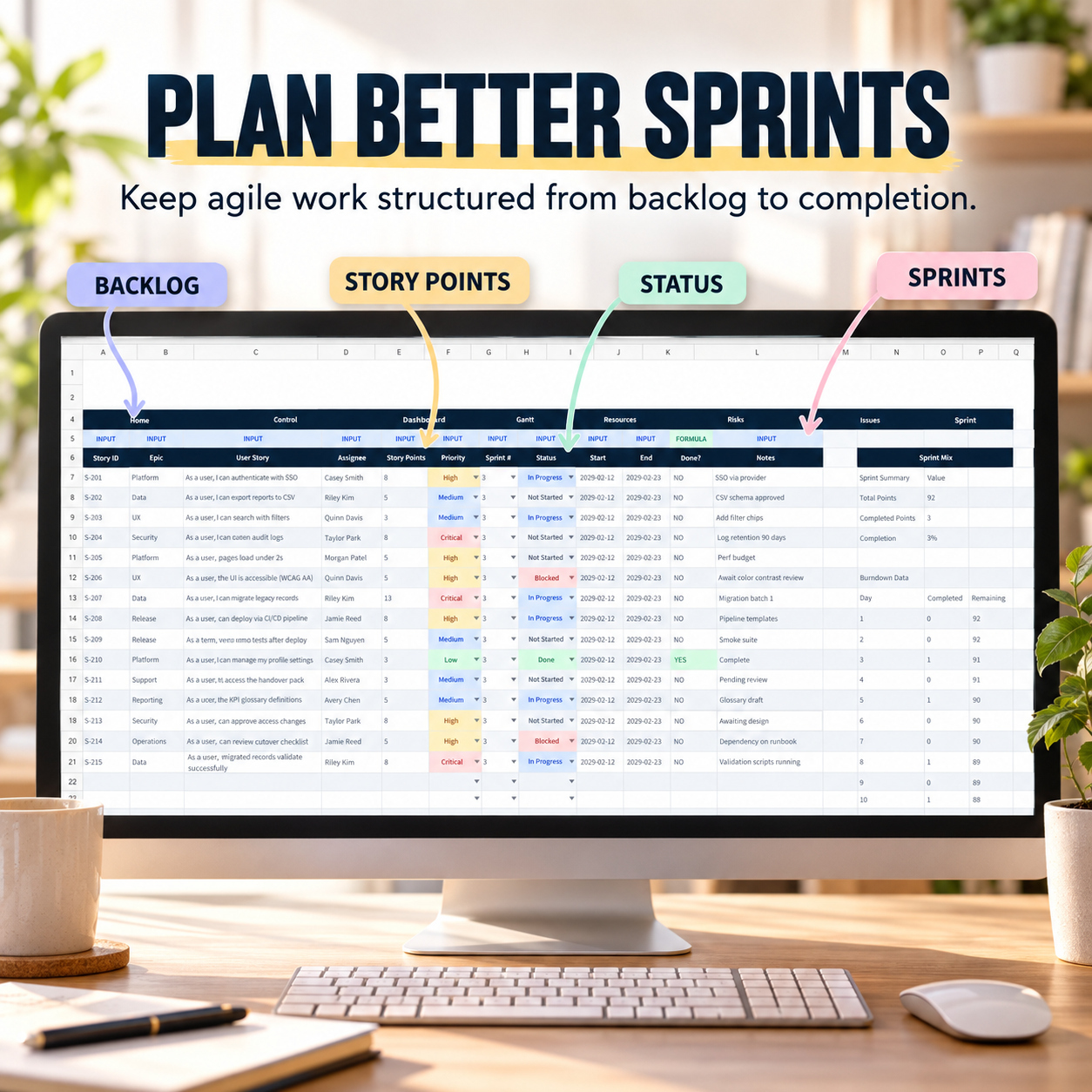
🏃 SPRINT PLANNER / SCRUM
Structure agile execution alongside the broader project-management workflow.
Track:
  • Story ID
  • Epic
  • User Story
  • Assignee
  • Story Points
  • Priority
  • Sprint
  • Status
  • Dates
  • Completion
  • Notes


The Sprint Planner includes 15 sample stories plus summary metrics for Story Points and Sprint Completion.


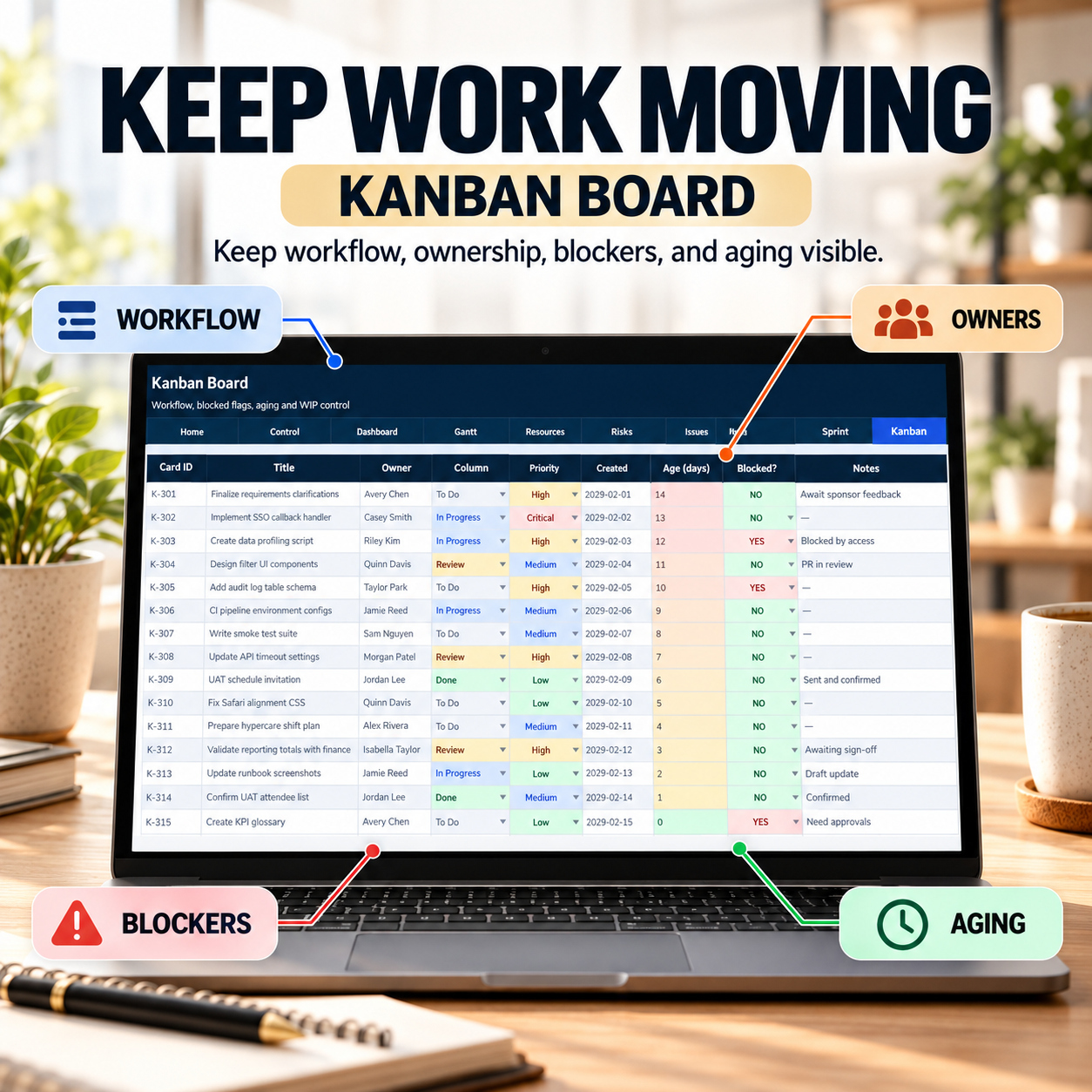
🧲 KANBAN BOARD
Manage day-to-day workflow and work-in-progress.
Track:
  • Card ID
  • Work Item
  • Owner
  • Workflow Column
  • Priority
  • Created Date
  • Age
  • Blocked Status
  • Notes


Supporting logic helps monitor:
📊 WIP Limit
📈 Current In-Progress Work
⚠️ WIP Breach
📋 Workflow Distribution


The workbook includes 15 sample Kanban cards.


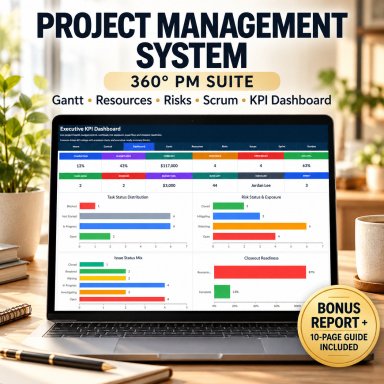
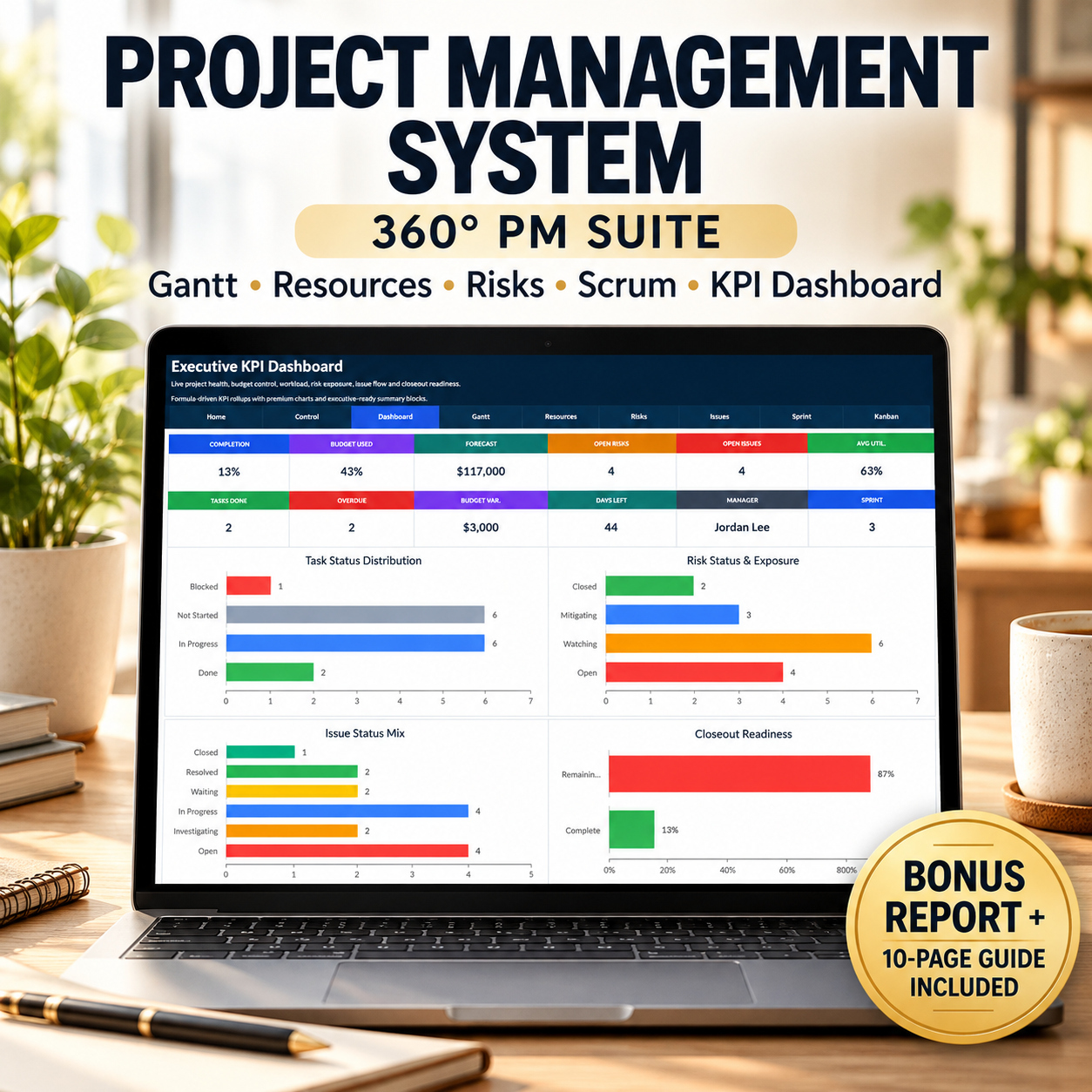
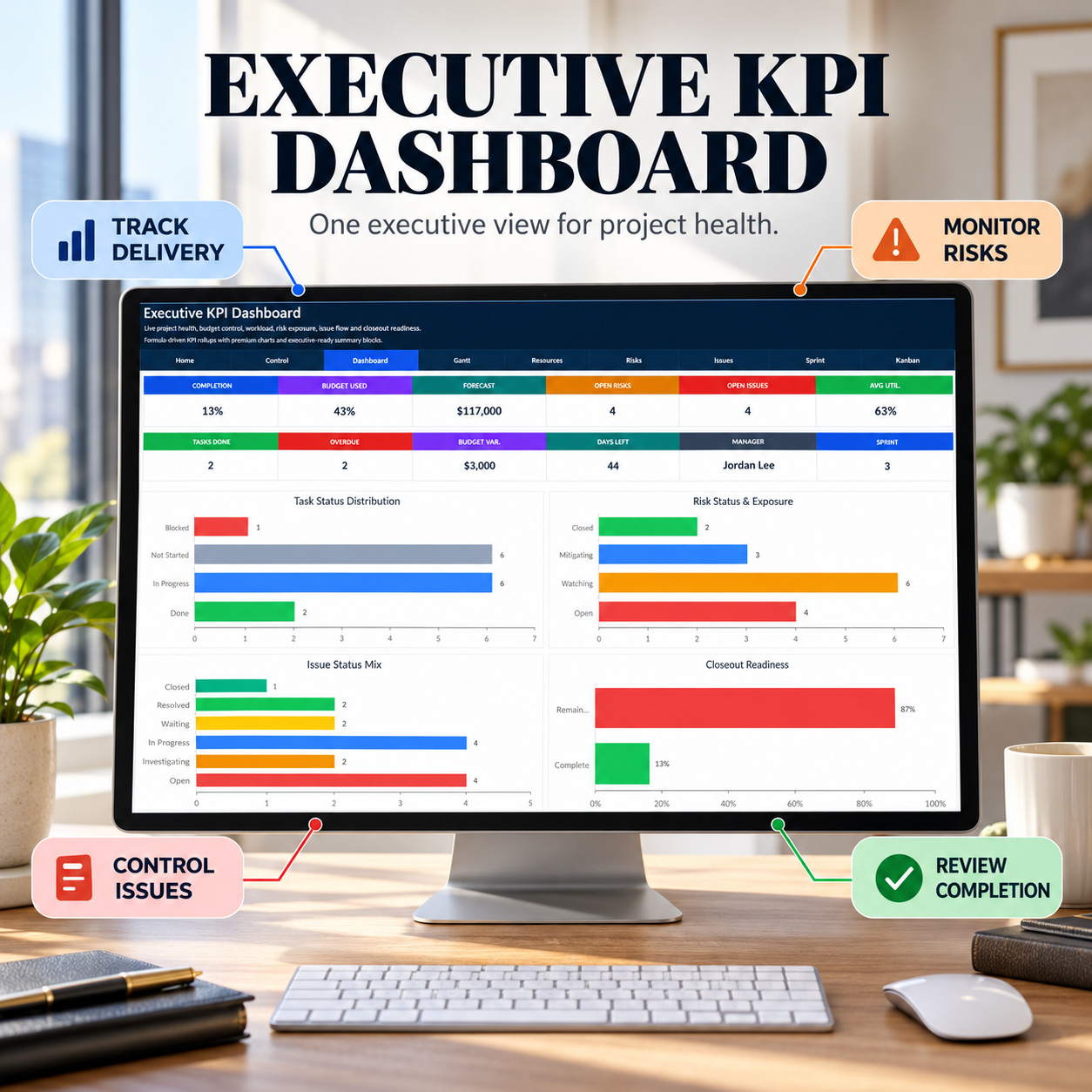
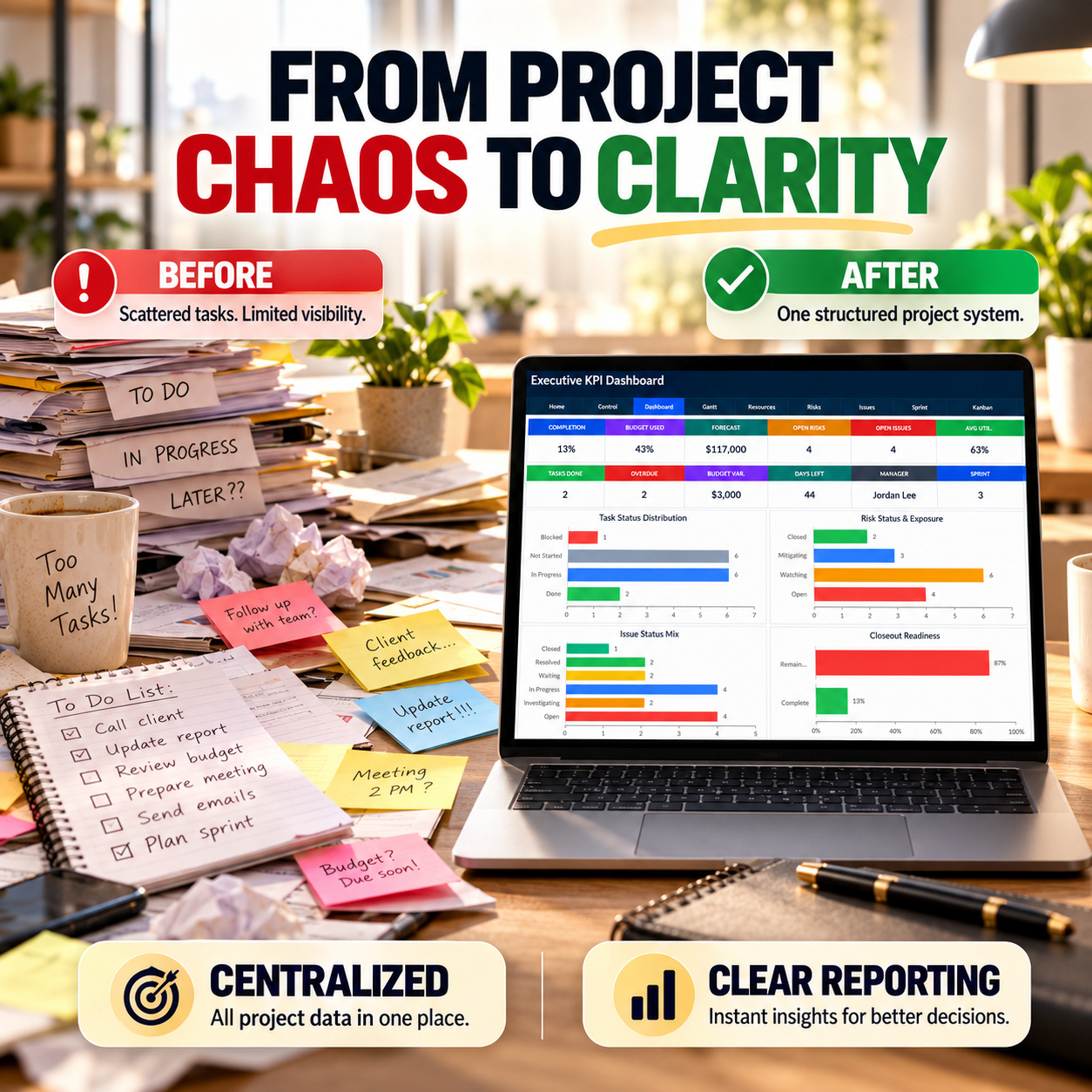
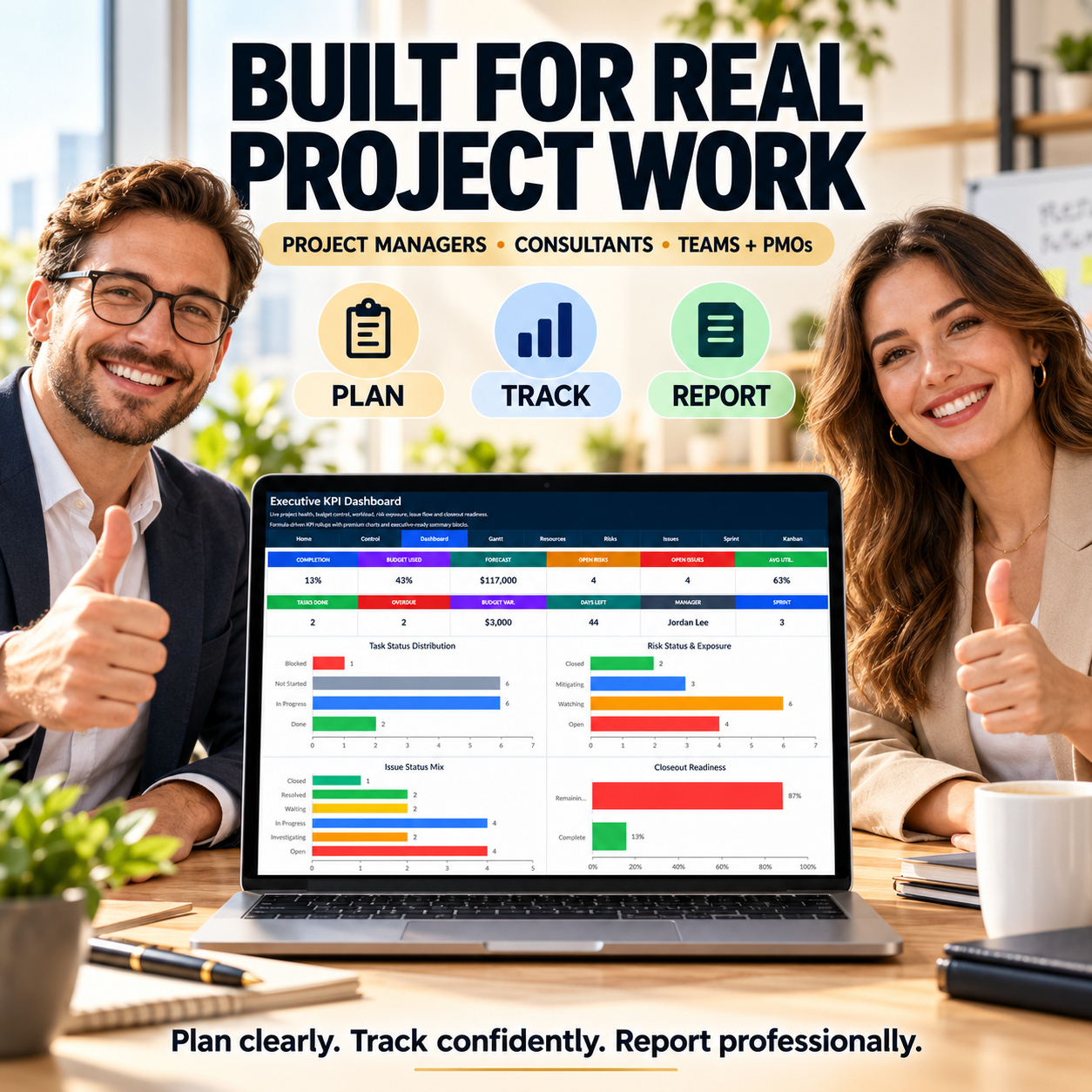
📊 EXECUTIVE KPI DASHBOARD
The KPI Dashboard is the central management view.
It contains 12 headline KPI fields, including:
📈 Completion
💰 Budget Used
💵 Forecast
⚠️ Open Risks
🐞 Open Issues
👥 Average Utilization
✅ Tasks Done
⏰ Overdue Tasks
💰 Budget Variance
📅 Days Left
👤 Project Manager
🏃 Current Sprint


The Dashboard also includes 4 native Excel charts:


📊 Task Status Distribution
⚠️ Risk Status & Exposure
🐞 Issue Status Mix
🎯 Closeout Readiness


All major visual reporting is intentionally centralized on the Dashboard for a clean management experience.


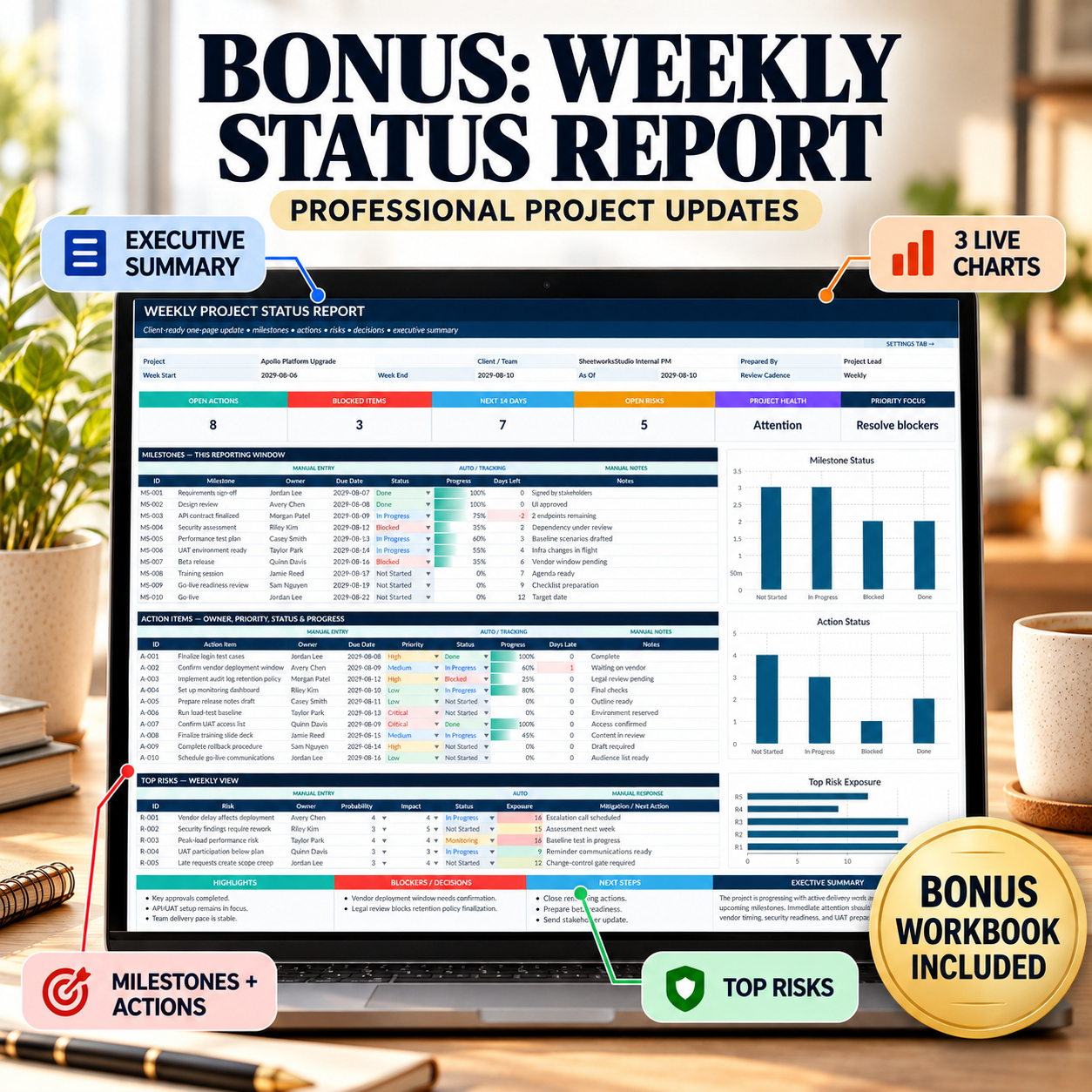
🎁 BONUS – WEEKLY STATUS REPORT
The separate Weekly Status Report provides a concise stakeholder-facing update.


It includes:
📌 Executive Summary
🎯 Project Health
📅 Milestones
✅ Action Items
⚠️ Top Risks
✨ Highlights
🚧 Blockers & Decisions
➡️ Next Steps
📊 Automated KPI indicators


The report also contains 3 native Excel charts:


📊 Milestone Status
📈 Action Status
⚠️ Top Risk Exposure


It is particularly useful for:
  • Weekly reviews
  • Client updates
  • Steering meetings
  • Leadership reporting
  • Internal project communication


🔄 RECOMMENDED WORKFLOW


1️⃣ Configure
Use the Control Center to define project dates, budget, sprint settings and core assumptions.
2️⃣ PlanUse the Gantt Plan and Resource Planner to establish the delivery plan and validate capacity.
3️⃣ ExecuteUse the Issue & Bug Tracker, Sprint Planner and Kanban Board for active delivery management.
4️⃣ ControlUse the Risk Register and Stakeholder Management to monitor risk exposure and engagement.
5️⃣ ReportUse the KPI Dashboard for executive review and the Weekly Status Report for concise stakeholder updates.


✨ FLEXIBLE FOR TRADITIONAL, AGILE OR HYBRID PROJECTS
The suite combines:
📅 Gantt scheduling
👥 Resource planning
⚠️ Risk management
🐞 Issue tracking
🤝 Stakeholder management
🏃 Scrum planning
🧲 Kanban execution
📊 Executive reporting


This allows teams to use the workbook in traditional, agile or hybrid project environments.


⚙️ TECHNICAL STRUCTURE


The workbooks use:
✅ Standard Excel formulas
✅ Dropdown validation
✅ Automated calculations
✅ Conditional formatting
✅ Status and priority logic
✅ Internal navigation
✅ Native Excel charts
✅ Realistic sample data
✅ Manual Input / Formula distinctions


The files contain:
✅ No macros / VBA
✅ No external workbook connections
✅ No Power Query
✅ No pivot-table dependency


💻 COMPATIBILITY


Recommended environment:
✅ Microsoft Excel 365
✅ Microsoft Excel 2021
✅ Microsoft Excel 2019


Google Sheets may open/import the files, but some formatting, dropdown behavior, charts or layout elements may differ.
For the most consistent experience, Microsoft Excel is recommended.


👤 SUITABLE FOR
👔 Project Managers
📊 PMO Teams
💼 Consultants
🏢 Agencies
🚀 Startups
💻 IT Teams
⚙️ Operations Teams
📦 Product Teams
📣 Marketing Teams
🧪 Software / QA Teams
🤝 Client Projects
🏗️ Internal Business Projects


💡 KEY BUSINESS VALUE
The 360° PM Suite is designed to help teams:
  • Centralize project information
  • Improve schedule visibility
  • Review resource capacity
  • Prioritize project risks
  • Structure issue follow-up
  • Improve stakeholder communication
  • Support Scrum and Kanban execution
  • Monitor blockers and WIP
  • Improve executive visibility
  • Create more consistent weekly reporting
  • Reduce reliance on disconnected spreadsheets


The result is a reusable Excel framework connecting planning, execution, control and reporting.


⚖️ IMPORTANT DISCLAIMER
This toolkit is provided for project organization, planning, tracking and internal management purposes only.
It does not constitute legal, financial, tax, HR, technical, contractual or professional project-management advice and does not guarantee project, schedule, financial or operational outcomes.


All calculations, assumptions, estimates, risk scores and management outputs depend on user-entered data and should be reviewed before operational use.

This Best Practice includes
Main Workbook – 360° Project Management System (excel), Bonus Workbook – Weekly Status Report (excel), How-to-Use Guide

Acquire business license for $39.90

Add to cart

Add to bookmarks

Discuss

Further information

The objectives of this toolkit are to:
- Centralize project information
- Establish project dates, budgets and control values
- Build and monitor delivery schedules
- Review resource utilization
- Identify and prioritize project risks
- Manage issues and defects
- Improve stakeholder communication
- Structure sprint execution
- Monitor daily workflow through Kanban
- Highlight blockers and overdue activity
- Improve executive project visibility
- Support recurring project reviews
- Create consistent stakeholder updates
- Support project closeout readiness
The toolkit supports project-management workflows but does not guarantee project outcomes.

This toolkit is particularly suitable for:
- Project Managers
- PMO teams
- Consultants
- Agencies
- Operations teams
- IT teams
- Software teams
- Product teams
- Marketing teams
- Startups and SMEs
- Client-delivery teams
- Hybrid project environments
It works particularly well where teams need one Excel-based framework for schedule, resources, risks, issues, stakeholders, agile execution and management reporting.

This toolkit is not intended to replace:
- Enterprise PPM platforms
- ERP systems
- Real-time collaboration platforms
- Dedicated issue-management systems
- Full-scale agile development platforms
- Financial accounting systems
- Workforce-management platforms
It does not provide live external integrations, automated notifications or cloud synchronization.
Microsoft Excel is the reference environment. Google Sheets may open the workbook, but formatting, dropdowns, charts and layout may differ.


0.0 / 5 (0 votes)

please wait...