Document Filing Automation Tool — Stop Manually Sorting Files Into Folders (Excel Macro)
Originally published: 13/09/2022 09:20
Last version published: 09/09/2026 12:16
Publication number: ELQ-10145-2
View all versions & Certificate
certified

Document Filing Automation Tool — Stop Manually Sorting Files Into Folders (Excel Macro)

Manually sorting hundreds of invoices, reports, or client files into the right folders is a time sink most teams still do by hand.

Description
Manually sorting hundreds of invoices, reports, or client files into the right folders is a time sink most teams still do by hand — one file at a time, every week.

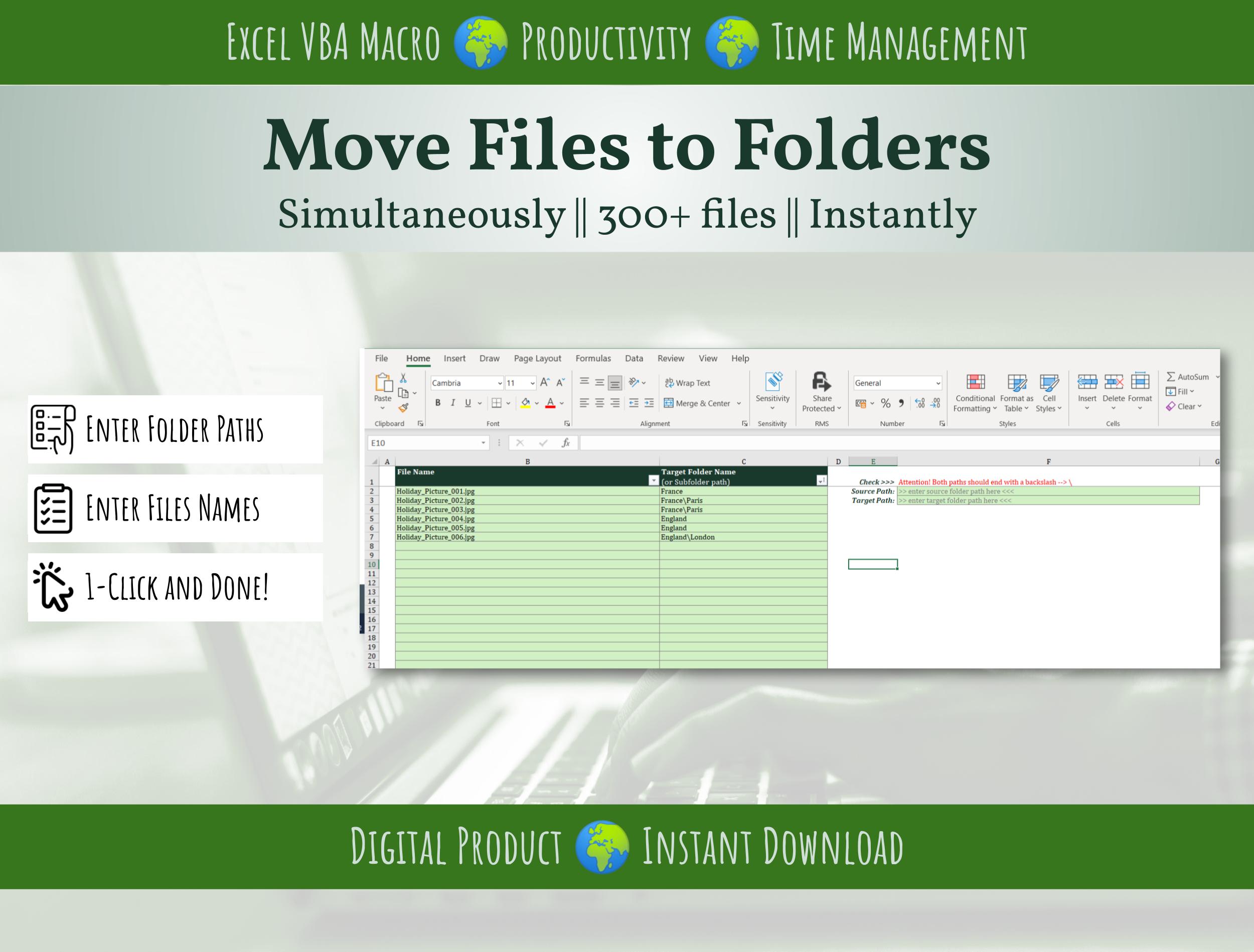
This Excel-based tool automates it. Set your sorting rule once (by filename, date, client, or file type), run the macro, and every file lands in its correct folder in seconds — no coding, no IT ticket, no third-party software.

Built for:
  • Admin, ops, and finance teams processing recurring batches of documents
  • Consultants and freelancers organizing client deliverables at project close
  • Anyone still dragging-and-dropping files into folders by hand
What you get:
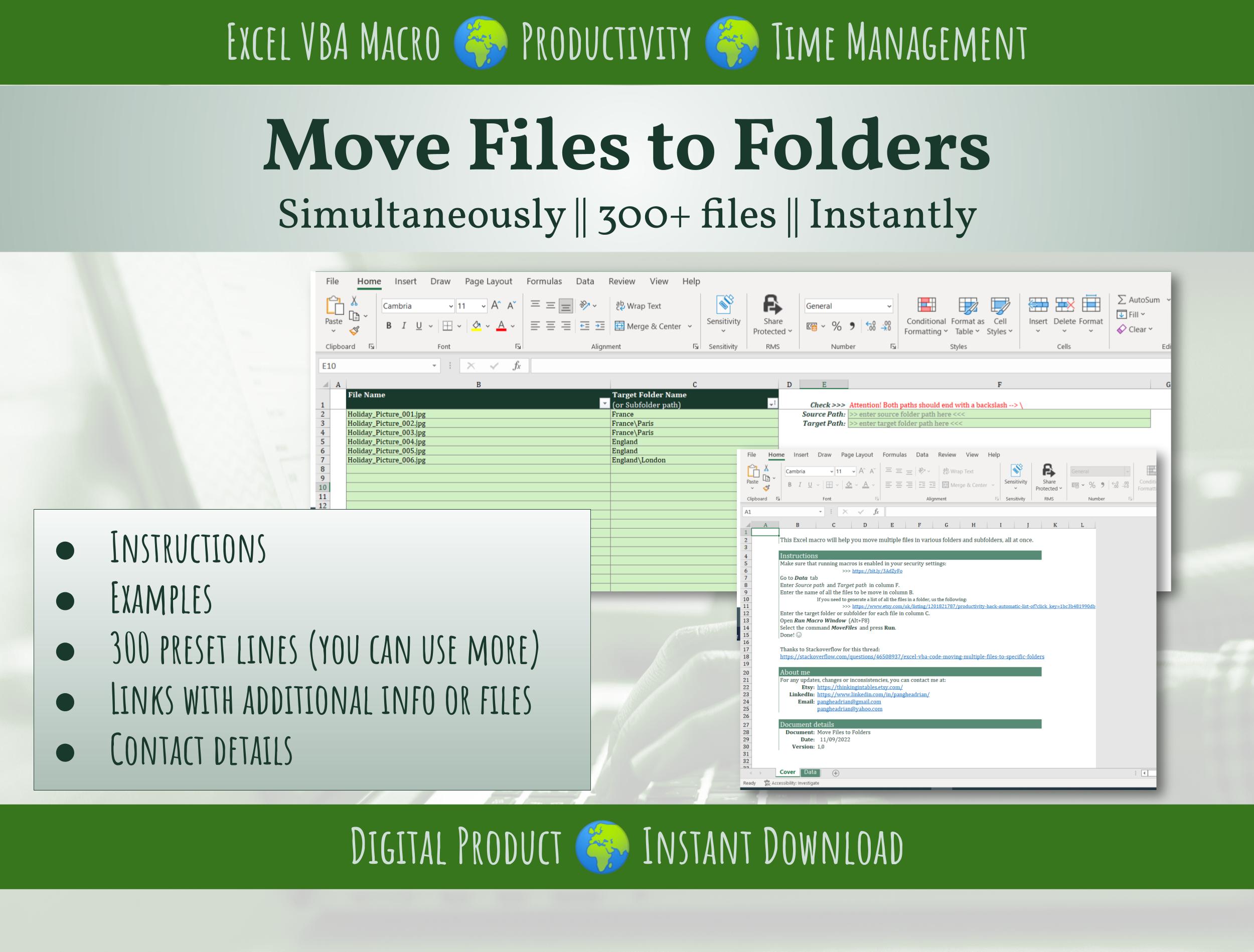
  • Ready-to-use Excel Macro (.xlsm) file — plug in your rule and run
  • No VBA knowledge required
  • Works on any Windows PC with Excel
How it works:
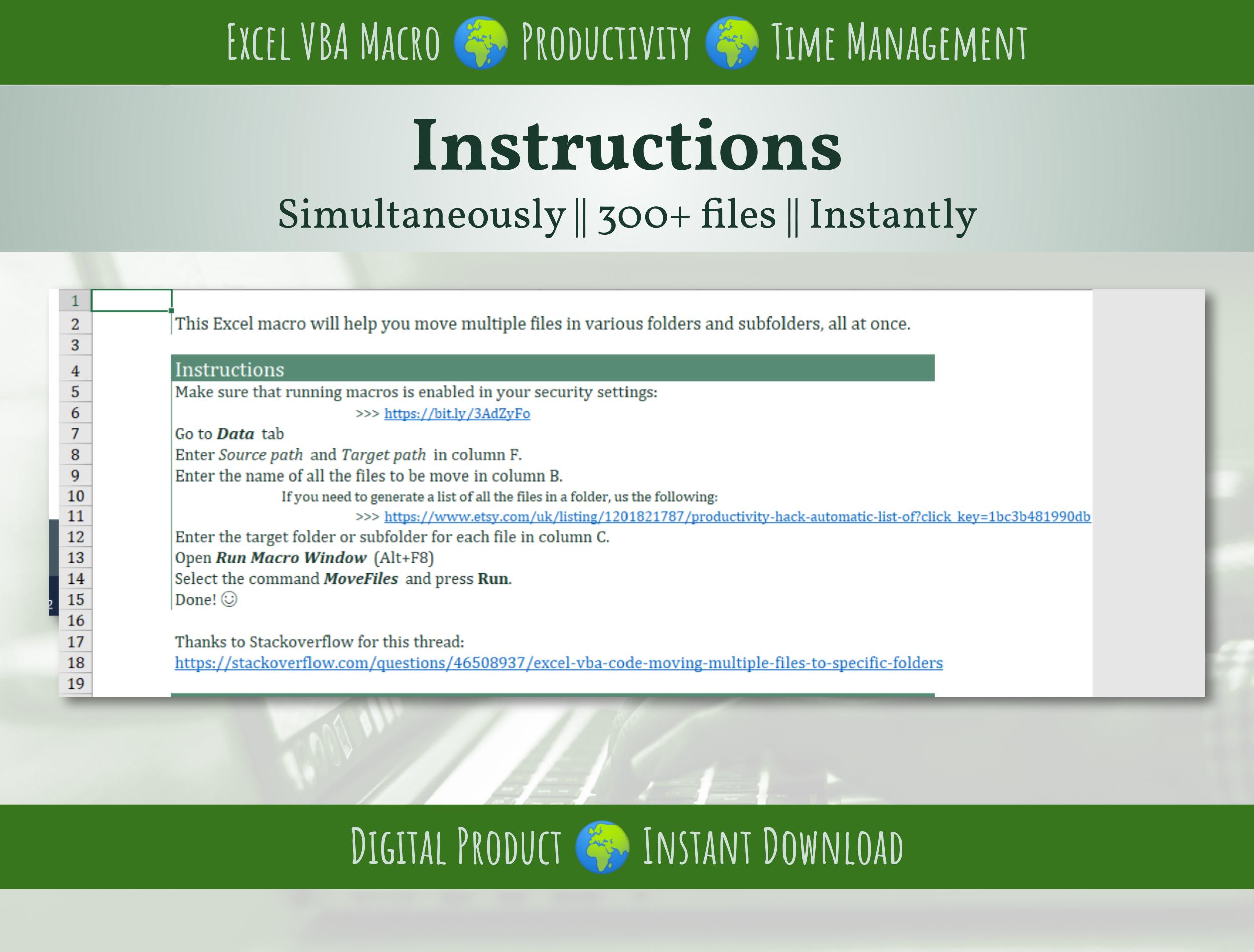
  1. Open the file, tell it your source folder and sorting rule
  2. Click one button
  3. Files are moved and organized automatically

Instant download. One-time purchase, use forever.

This Best Practice includes
1 Excel file (Macro-enabled)

Acquire business license for $3.00

Add to cart

Add to bookmarks

Discuss


0.0 / 5 (0 votes)

please wait...
